The members widget

Real members from your brand, on your pages.

Partner workshop · Tuesday 1 September 2026 · v3.2
The big picture

A widget that shows your members.

Use the members widget
Real members from your brand, on the page
“check what we’ve got”
London 50+ Leeds 31 Belfast 7 · no page
Decide where your members are
Count per place, before anything is built
“build those”
hub
city
city
Build pages for them
A hub, and a page per city that can carry one

Real profiles from your brand, placed on any page.

The big picture

Decide where your members are.

Use the members widget
Real members from your brand, on the page
“check what we’ve got”
London 50+ Leeds 31 Belfast 7 · no page
Decide where your members are
Count per place, before anything is built
“build those”
hub
city
city
Build pages for them
A hub, and a page per city that can carry one

Count members per place first. The numbers pick the pages.

The big picture

Build pages for them.

Use the members widget
Real members from your brand, on the page
“check what we’ve got”
London 50+ Leeds 31 Belfast 7 · no page
Decide where your members are
Count per place, before anything is built
“build those”
hub
city
city
Build pages for them
A hub, and a page per city that can carry one

A hub, and a page per city that can fill its grid.

The big picture

And the whole thing is one conversation.

Use the members widget
Real members from your brand, on the page
“check what we’ve got”
London 50+ Leeds 31 Belfast 7 · no page
Decide where your members are
Count per place, before anything is built
“build those”
hub
city
city
Build pages for them
A hub, and a page per city that can carry one

You ask, it checks, it builds. The rest of this deck is these three steps up close.

What it is

Describe the members you want. The platform fills the page.
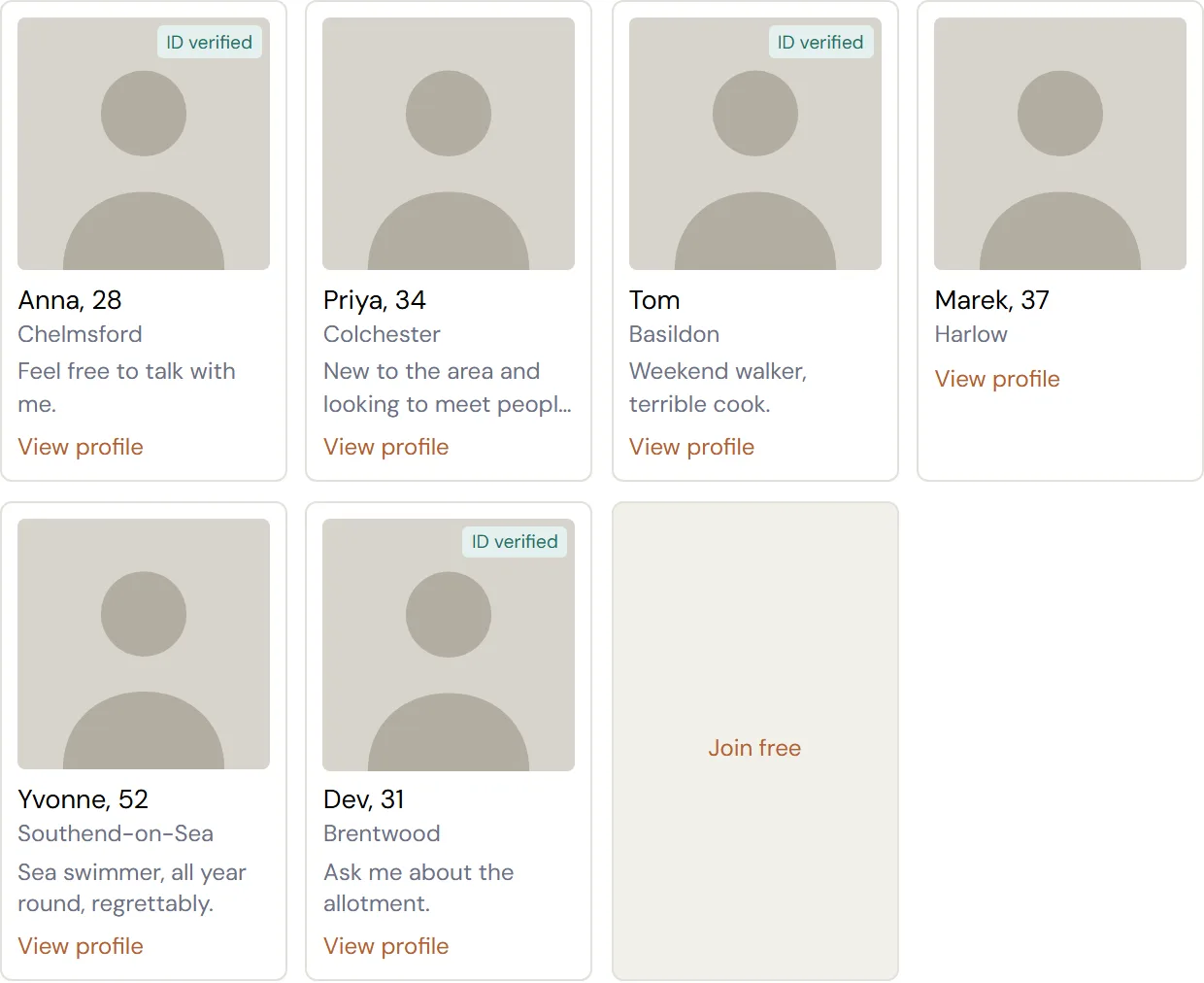
A grid of member cards: photos, first names and ages, towns, an ID-verified badge on some, and a join tile at the end.

Place, member types, age range, how many. The platform picks real, current members from your brand every time the page is built. No JavaScript, so it always imports cleanly.

What lands on the page

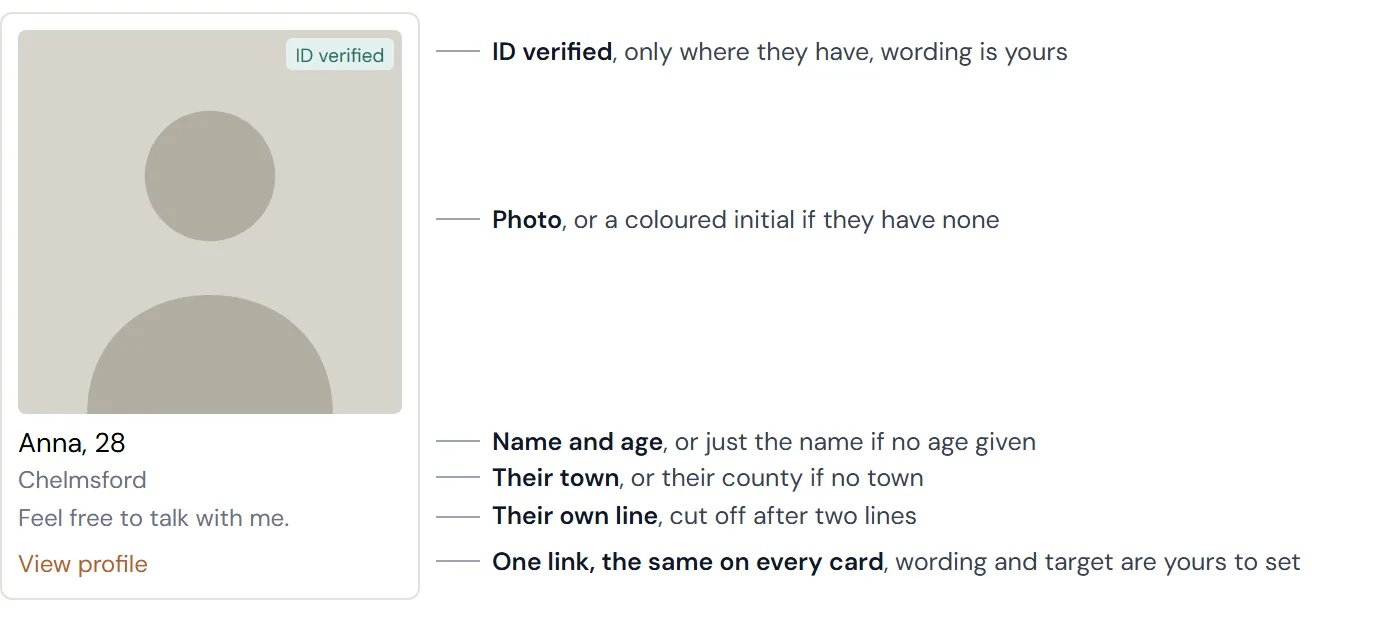
Every card is a real profile.

A member card with each part labelled: photo, ID-verified badge, name and age, town, their own line, and the link.

Everything on the card comes from the member’s real profile. Anything they have not filled in is simply left off.

The look

You are in charge of the look and feel.
The widget rendered plainly: light cards, simple type.
The structure, unstyled.
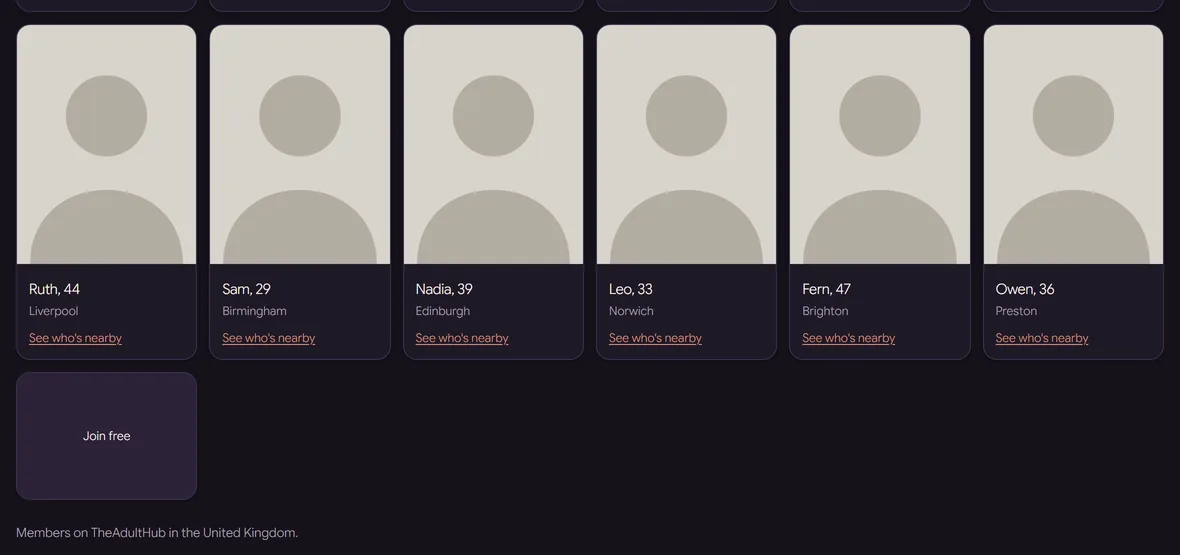
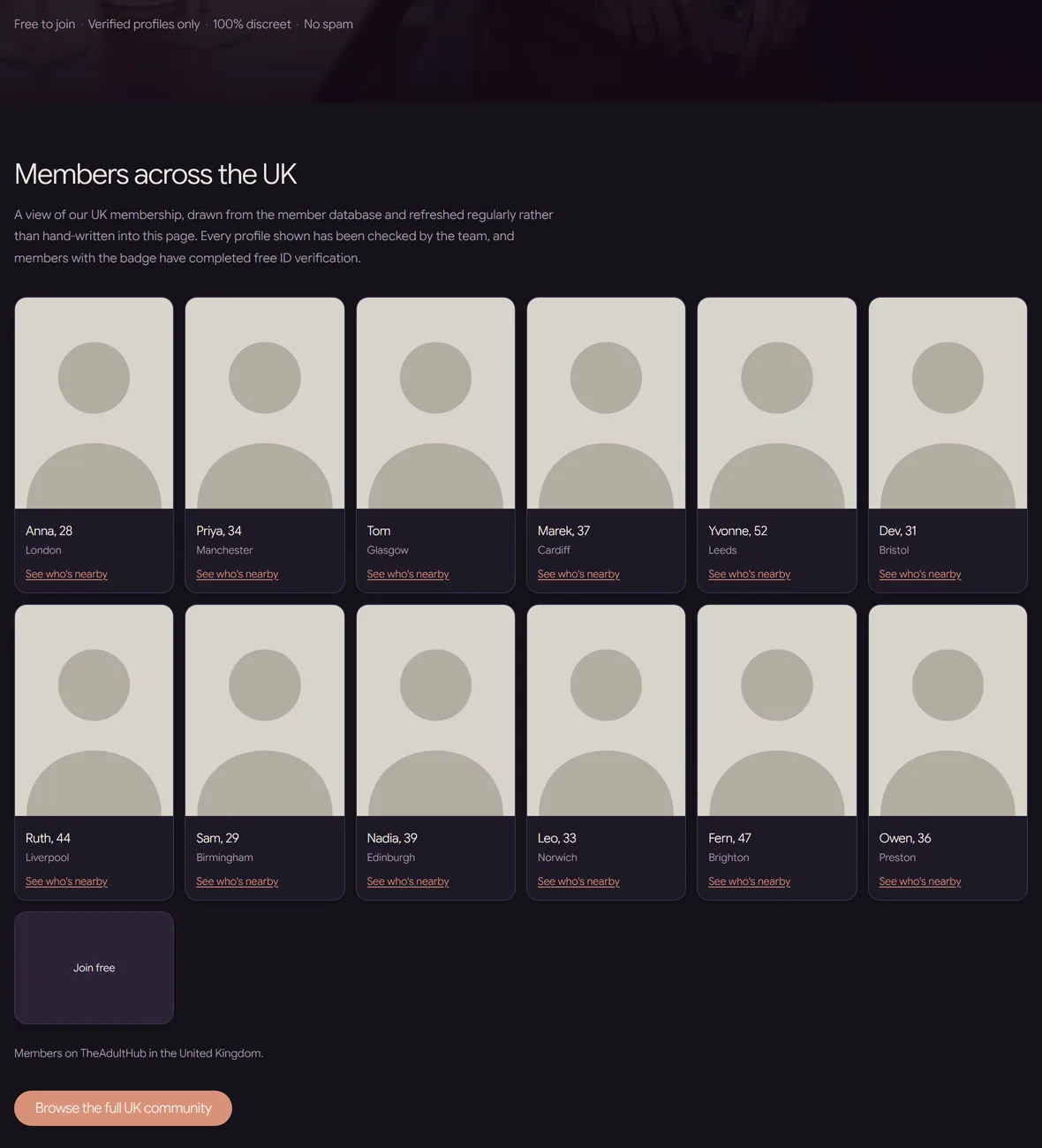
The same widget on a live brand page: dark palette, the brand's own type and card shape.
A live brand’s palette, type and card shape.

The platform brings the members. You bring the brand: colours, type, card shape, layout.

The wording

Every word on it is yours.

A live brand's member grid close up: the link under each card reads See who's nearby, and the join tile reads Join free.

The card link and where it points, the join tile, the verified badge, the no-results message. Any language.

Freshness

It stays current on its own.

Two panels: the members chosen when the page was built, and weeks later two new members have rotated in, with no one touching the page.

The platform rebuilds member pages regularly, and publishing refreshes immediately. Nothing to maintain.

Place names

Places are pinpointed, not guessed.

  • The platform only recognises its own list of places. An unrecognised name is ignored in silence, and the page fills from everywhere.
  • Co-Work carries the tools to pinpoint every place. Every name is matched against the platform’s own list before the page is built.

Measured: “England: Essex” returned 20 of 20 members in Essex. Bare “Essex” returned members across 14 counties.

For you

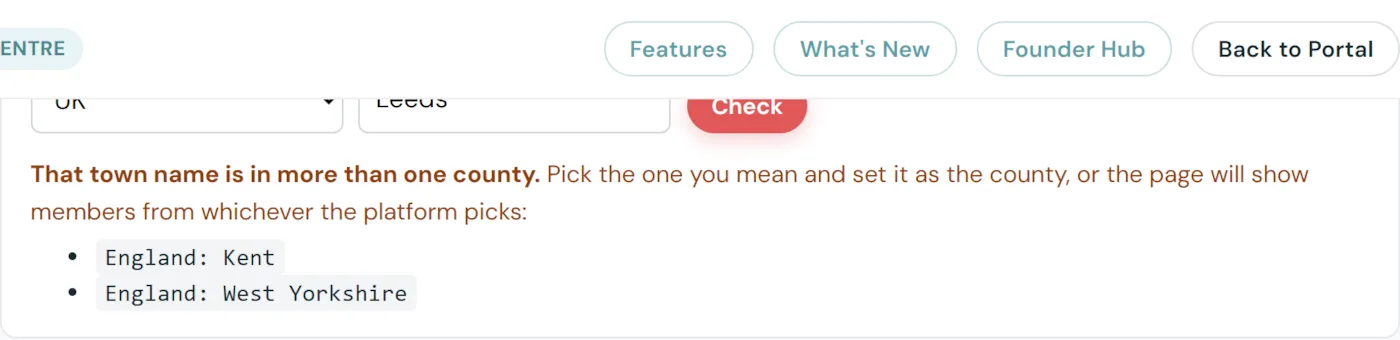
A checker you can use yourself.

The place-name checker in the help guide: Leeds typed in, and the result showing it sits in two counties and asking which one is meant.

Type a place, get the exact value. Leeds sits in two counties, so it makes you choose. Try it in the guide.

Measure first

Count the members before you build the page.

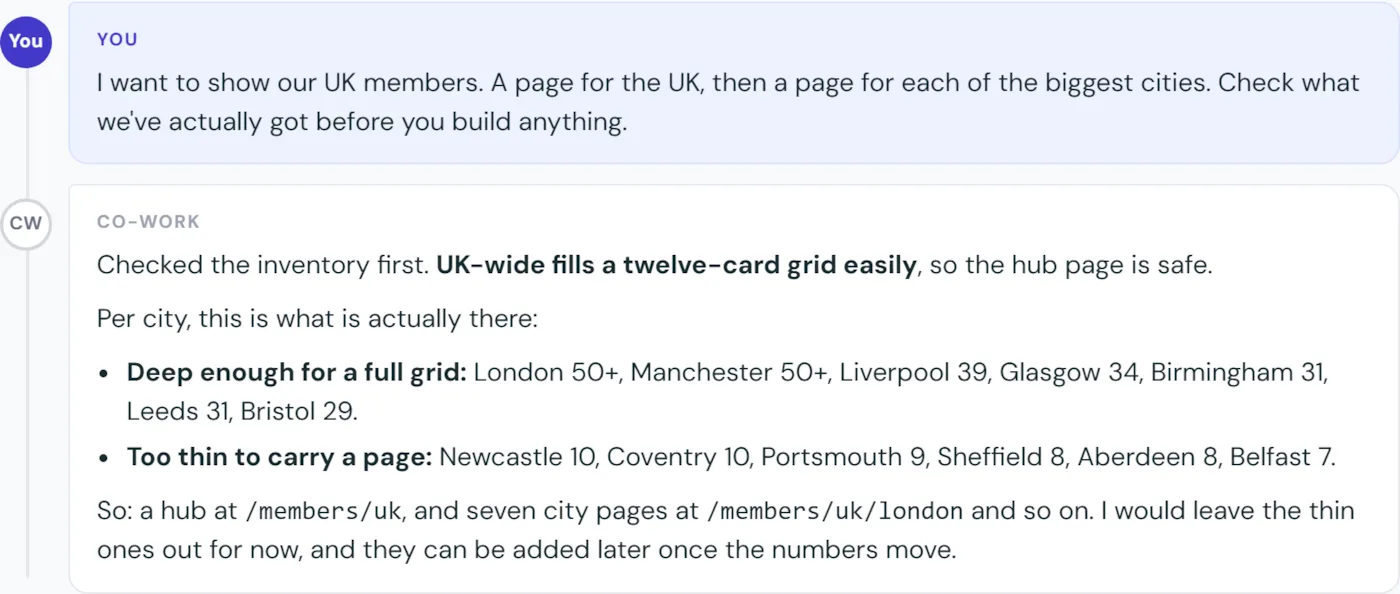
The real reply: deep enough for a full grid, London 50 plus down to Bristol 29; too thin to carry a page, Newcastle 10 down to Belfast 7.
London50+ members
Manchester50+ members
Liverpool39 members
Glasgow34 members
Birmingham31 members
Leeds31 members
Bristol29 members
Newcastle10, no page
Sheffield8, no page
Belfast7, no page

Seven cities could fill a grid. Three could not, so those pages were never built. The counts decide which pages exist.

The conversation · 1 of 3

Decide the shape before building.

A real exchange: the partner asks for a UK members page and city pages, and Co-Work replies with the member counts per city and a proposed structure.

One ask. The counts come back, and the counts choose the pages.

The conversation · 2 of 3

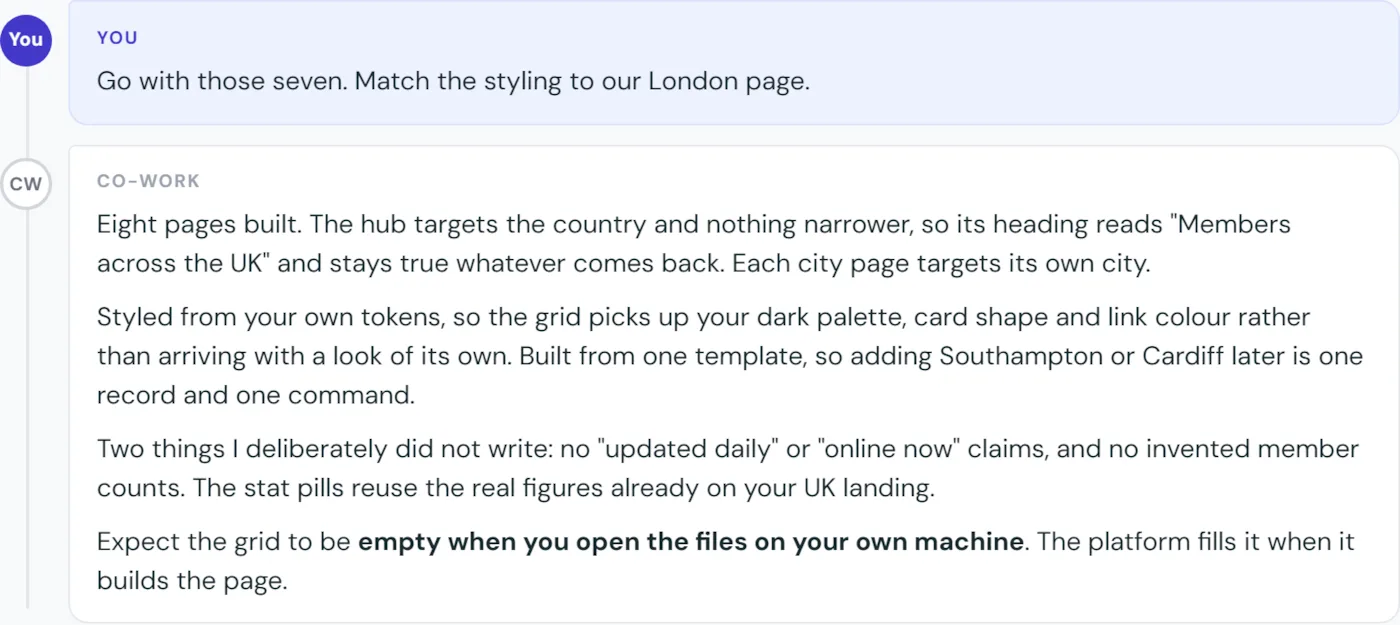
Eight pages, from one template.

The second exchange: the partner says go, and Co-Work reports the hub and seven city pages built, styled from the brand, with nothing invented.

Styled from the brand’s own tokens. No invented counts, no invented claims.

The conversation · 3 of 3

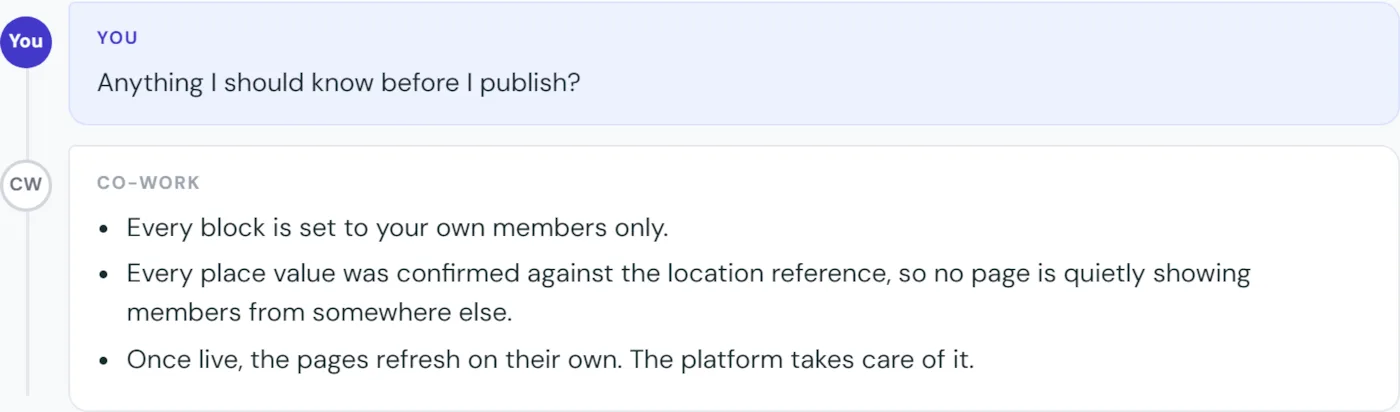
One question before publishing.

The third exchange: anything I should know before I publish, and three short answers.

Worth asking every time. It is one line.

The result

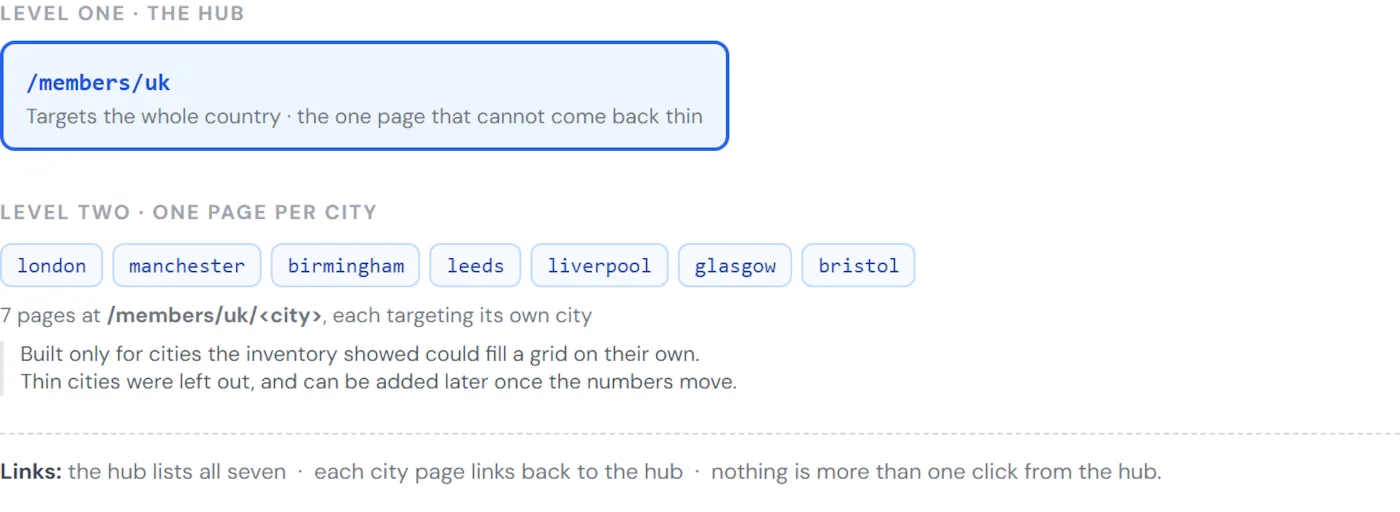
One hub. Seven city pages.

Structure diagram: a hub page at /members/uk linking to seven city pages, one template throughout.

The hub targets the whole country. Each city page is one click away.

The result

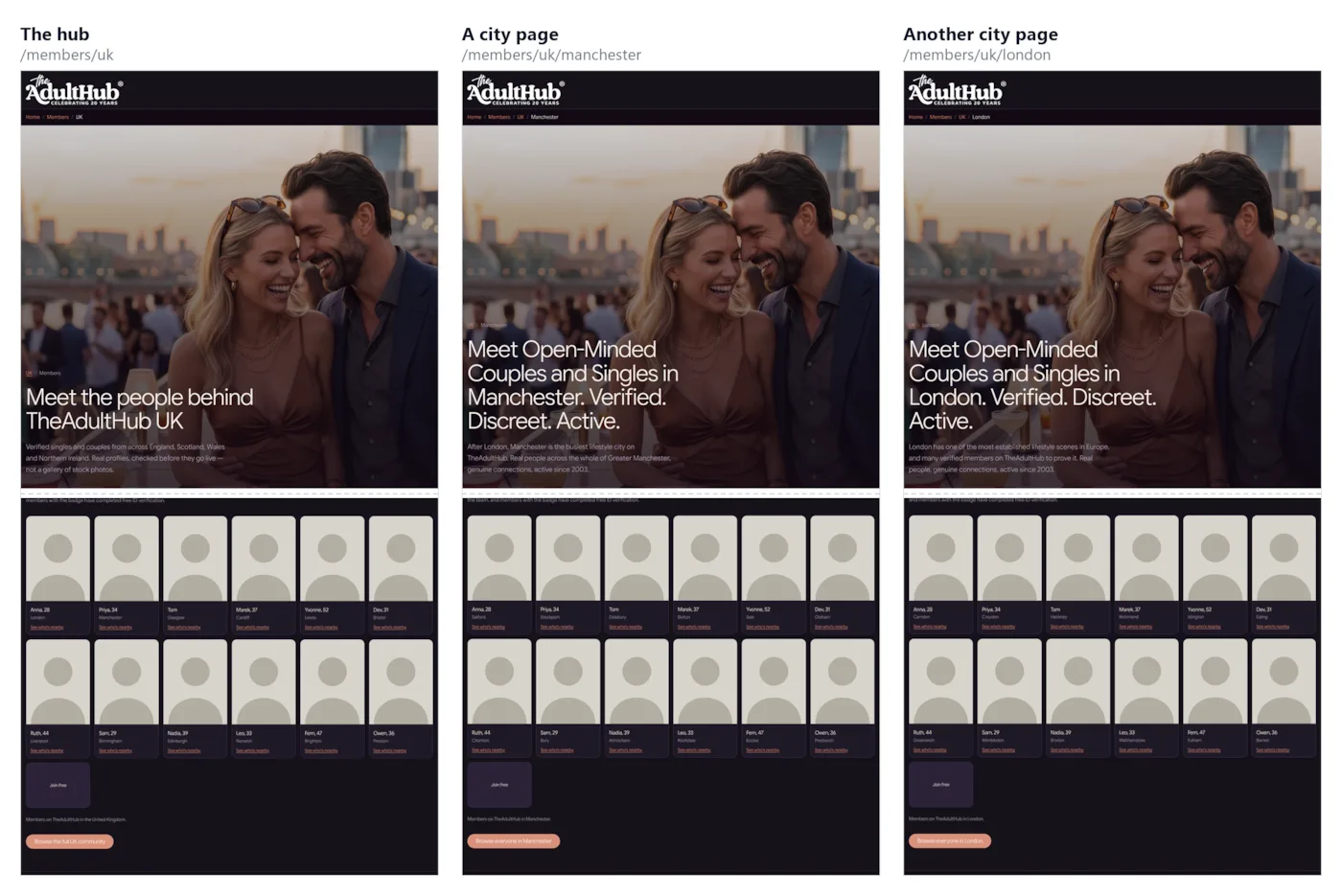
The finished pages.

Three of the built pages side by side: the hub, Manchester and London, each with its member grid. Silhouette placeholders stand in for members.

Silhouettes shown on the deck. Real members appear on the brand.

Search policy

What Google’s rules actually say.

“Scaled content abuse is when many pages are generated for the primary purpose of manipulating search rankings and not helping users.”

Google, Spam policies for Google web search: scaled content abuse

Doorway abuse includes “multiple domain names or pages targeted at specific regions or cities that funnel users to one page”.

Google, Spam policies for Google web search: doorways

Quoted verbatim. Page last updated 28 August 2026. Each source opens in a new tab.

Search policy · our read, not Google’s

Built this way, these pages answer those rules.

  • Unique local copy on every page. Not one text with the place name swapped.
  • Live first-party data. Your own members, on your own pages. Nothing syndicated, nothing scraped.
  • Thin places get no page at all. The counts decide. That is the opposite of pages generated at scale for rankings.
  • Each page answers its own search. Nothing funnels to a single page.

Google’s own north star: “People-first content means content that’s created primarily for people, and not to manipulate search engine rankings.” (Creating helpful, reliable, people-first content.) This is our interpretation of published policy, not advice from Google.

What to remember

Three things.

  • The page looks after itself. Members resolved at build, rebuilt regularly, publishing refreshes immediately.
  • The look and the wording are yours. Styled for the brand, your words on every card, any language.
  • Match the place name, and count before you build. An unrecognised name fills the page from everywhere. The counts decide which pages exist.

Your members are the one thing no competitor can copy.

The members widget ·  v3.2 · 1 September 2026
01 / 07