Partner workshop

The partner side: updates, the portal redesign and working with Grok Bot.

Then the members area roadmap, and what is growing by geo and niche.

Partner workshop · Tuesday 20 October 2026
Agenda

Today.

Partner side  ·  the portal, the toolkit and your tools
1Updates
2Portal design and UX improvements
3Working with Grok Bot
4Next
Members area  ·  what your members see
5Product roadmap, Q4 2026 Martyn Padden, Head of Product
The market  ·  what is growing
6Geos and niches: September vs August Serge
01

Updates

NEW Improved Fixed
Updates

The old agentic toolkit has been retired.
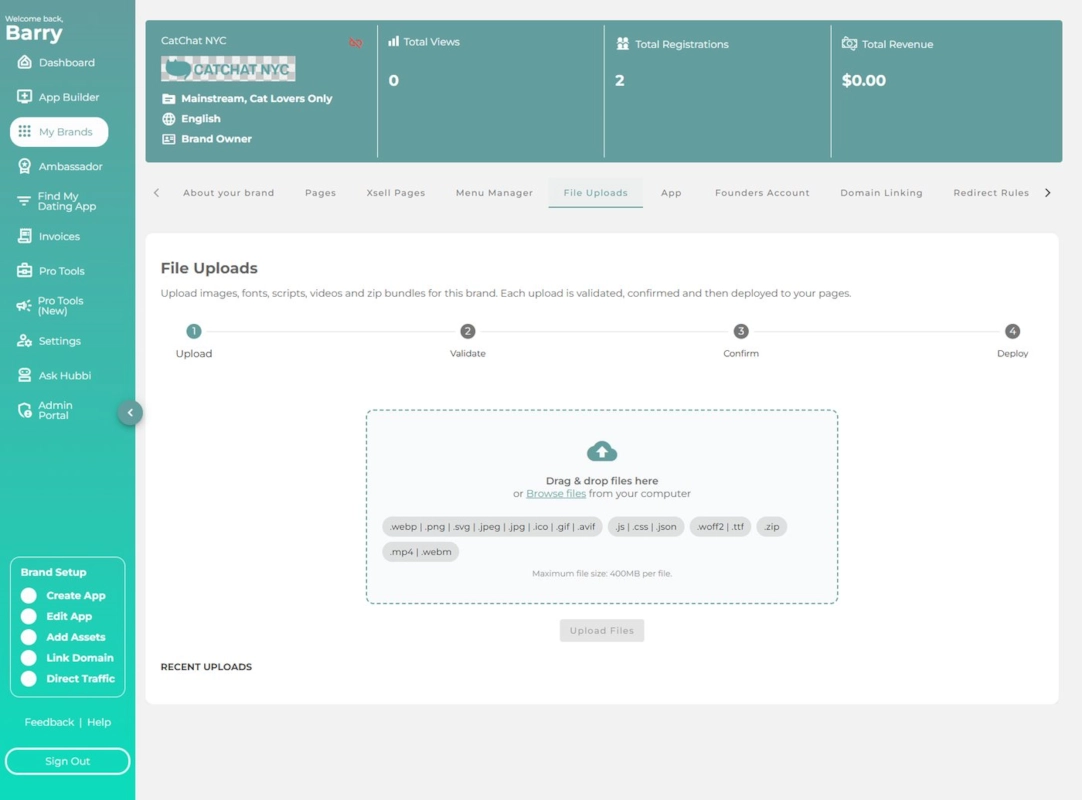
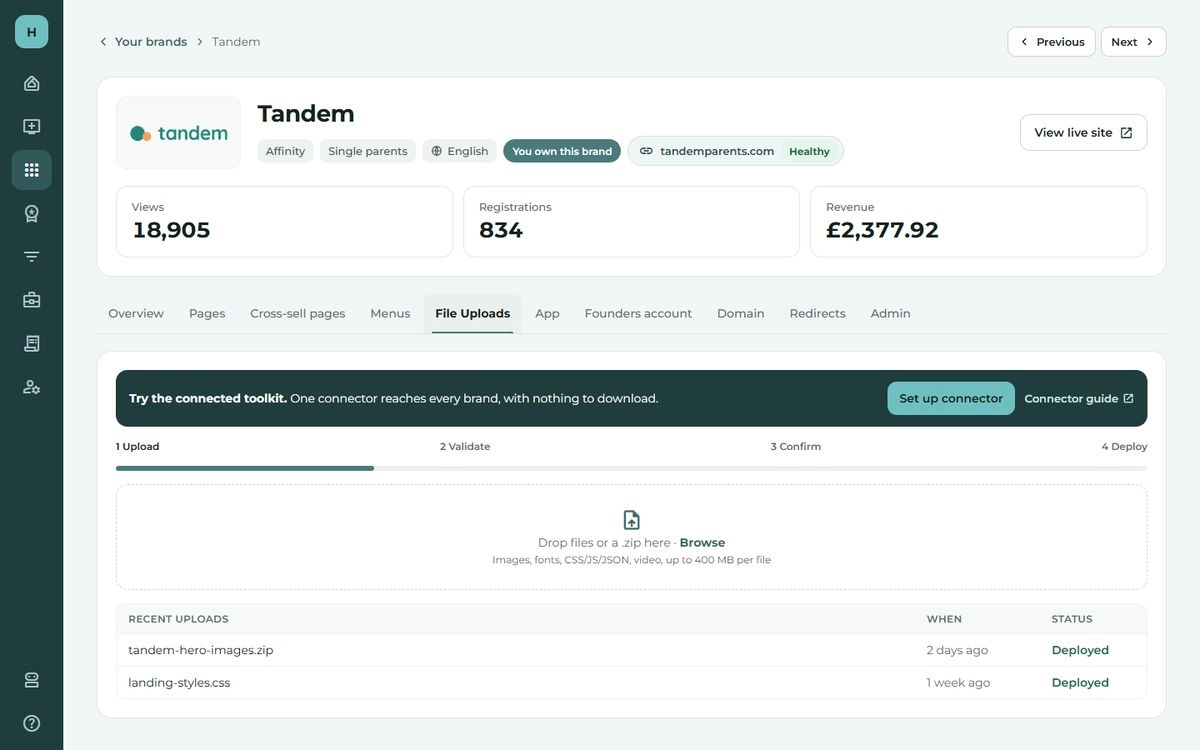
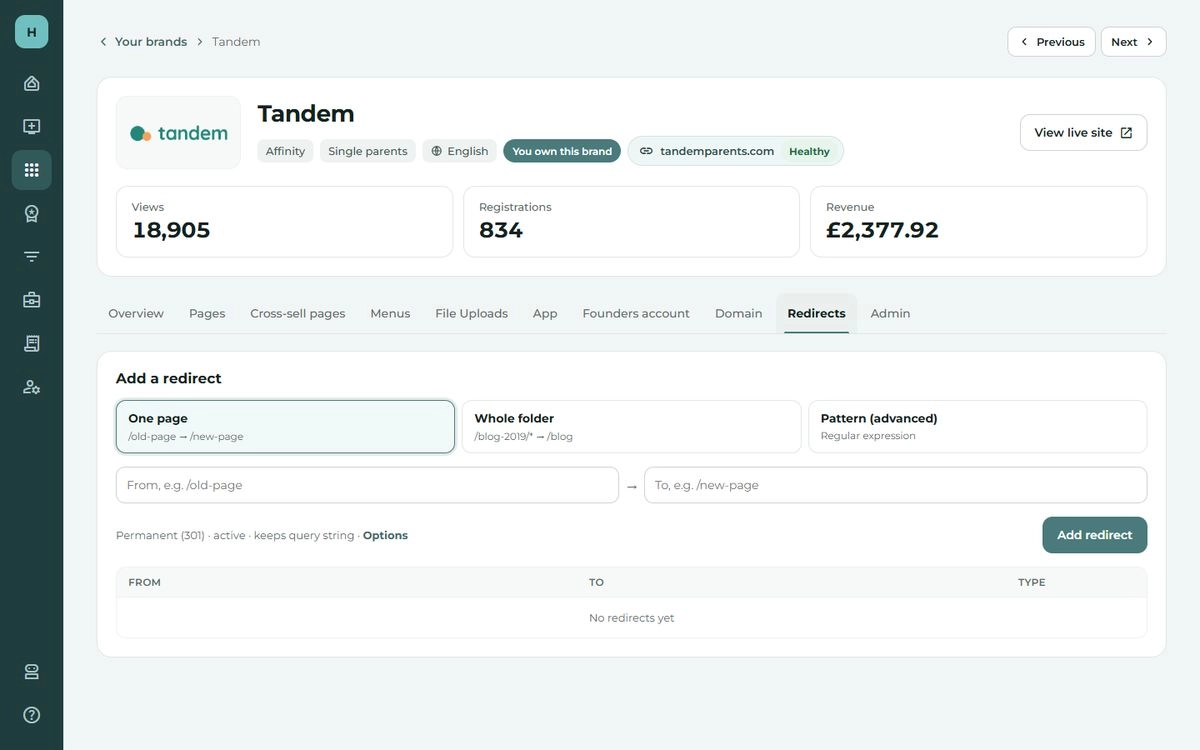
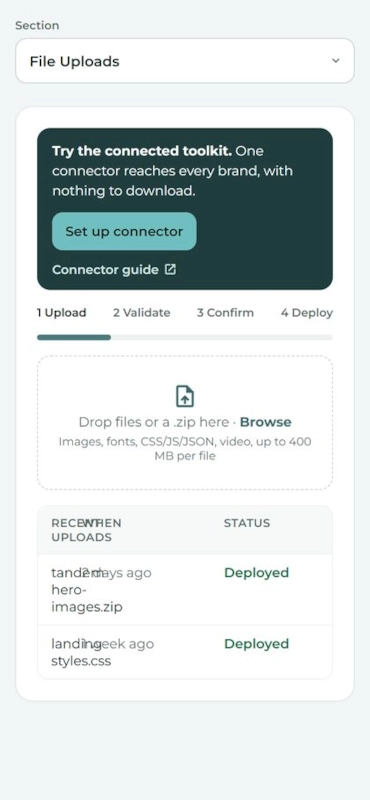
A brand in the portal with the File Uploads tab open, where the old toolkit tab used to be.
Where the toolkit tab used to be, it is now just File Uploads.
The connected toolkit is the only one to use now
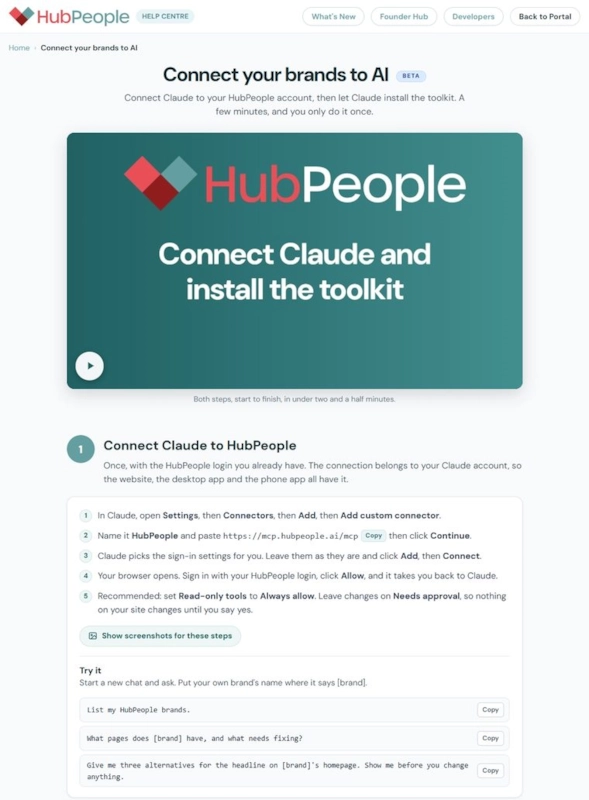
Connect Claude to HubPeople, then ask Claude to install the toolkit.
The help centre page Connect your brands to AI, with the steps to connect Claude and install the toolkit.
help.hubpeople.ai/mcp-toolkit
Updates

Sign-up card: member faces now off by default.

Faces off · now the default
Faces on · where a page asks
  • ✓Was on by default Every sign-up card showed a row of live member faces.
  • ✓Now off unless a page asks Because of high usage.
  • ✓Coming back We are making it more efficient, and then the default goes back to showing them.
Want them on a page now? Ask Claude
›Show the member faces on the sign-up card on [page] again, once "looking for" is answered.
Updates

Smarter email engagement: an A/B test.

A tuned email flow, tested on over 200,000 users.

  • The right message
  • At the right time
  • At the right cadence
66.4% fewer introductory emailswithout reducing organic email activity
Before
Introducing new members near you
New message from Alex
See who joined this week
Members you might like
Jo replied to you
With the tuned flow
New message from Alex
Introducing new members near you
Jo replied to you
Introductory From members · illustration
+5.51%1-day upgrade rate
+6.52%3-day upgrade rate
+0.61%email subscription rate
4.01% fewerprofile deletions
Affinity fully rolled out Excite still on a 50/50 test
Updates

Connecting to the HubPeople connector with a code: fixed (to be verified)

Tools that cannot connect through the normal sign-in can use code verification instead: the tool shows a code, and you approve it in the portal. A partner reported that this did not work.

1 Your tool shows a code ABCD-EFGH
2 Open the portal page and check the code portal.hubpeople.ai/device ✓ Fixed · to be verified
3 Approve, and the tool is connected

The fix went live this morning, 20 October, and we are verifying it end to end. Thank you to the partner who reported it.

02

Portal design and UX improvements

Portal design and UX improvements

The long-term view.

Mobile first
Designed for the phone, then the laptop.
More clarity on every page
A lot of pages were built on day one. Updating them brings more clarity, dashboards for example.
What needs your attention, first
Bubble up the things that need you, instead of making you look for them.
Easier to find your way and make it yours
Brand filters, and your data brought together and shown visually: what needs attention, your top brands and more. Custom dashboards in the future.
Portal design and UX improvements

What we started on.

Your brands: the brands list

  • More intuitive to use.
  • Cleaner to look at.
Portal › Your brands

A single brand: everything about one brand

  • Simpler to use.
  • Screens brought together into logical areas.
  • An audit trail of the changes made.
Portal › Your brands › a brand

What follows is from the prototype, with made-up brands. It shows the direction, not the finished screens, and none of it is live yet.

Portal design and UX improvements

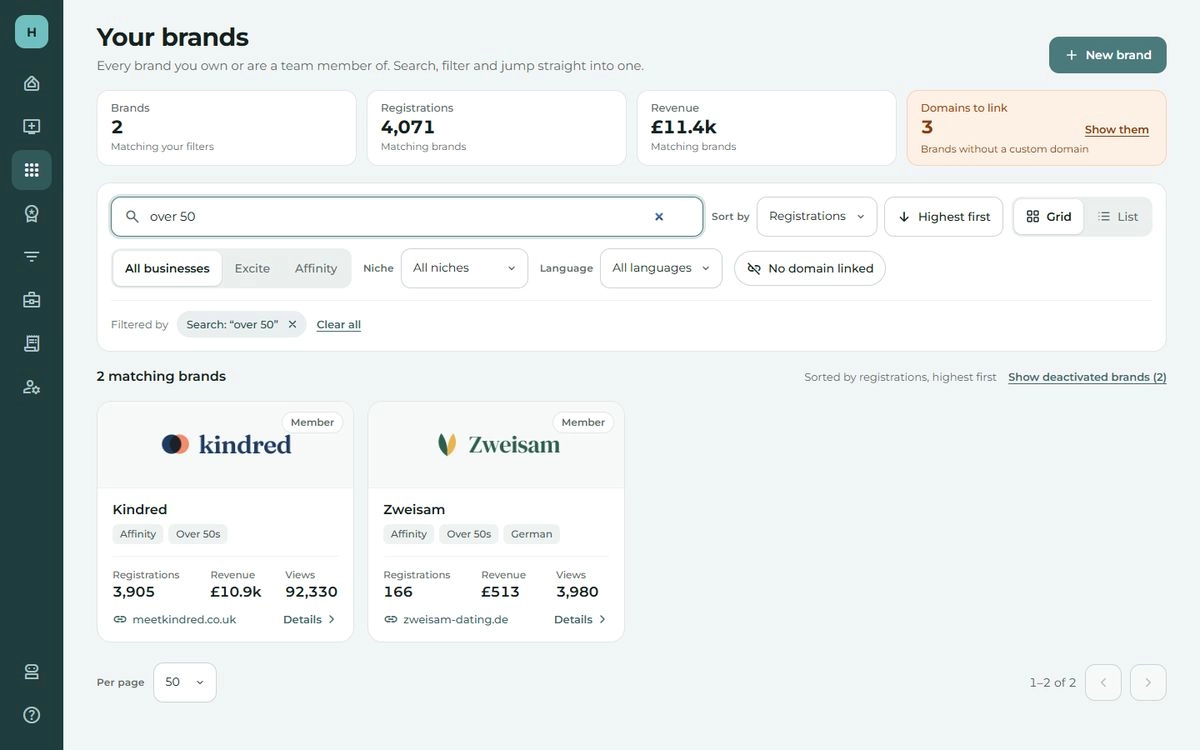
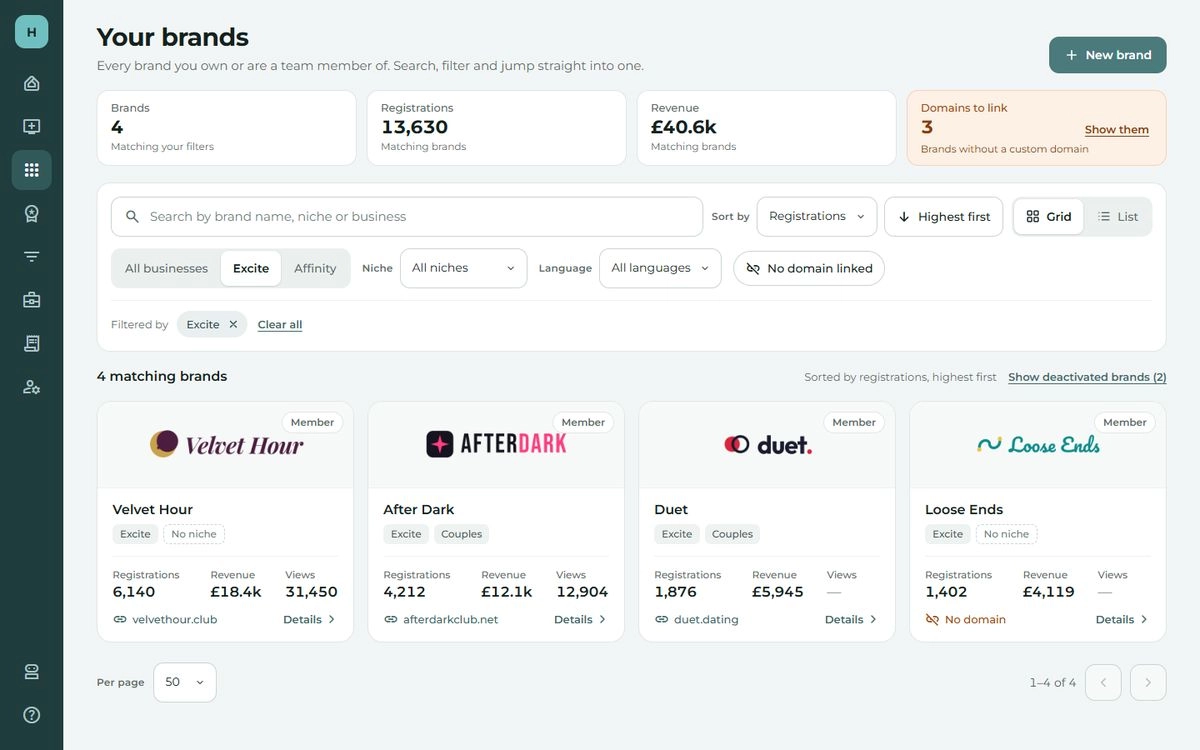
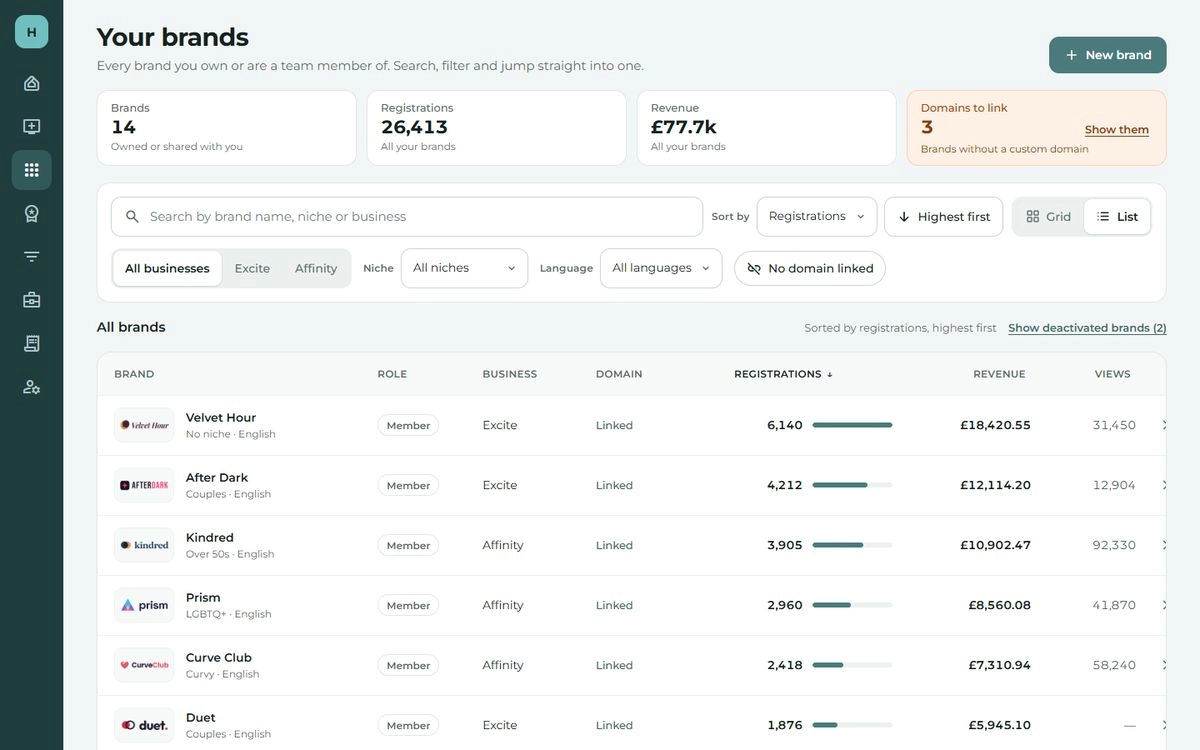
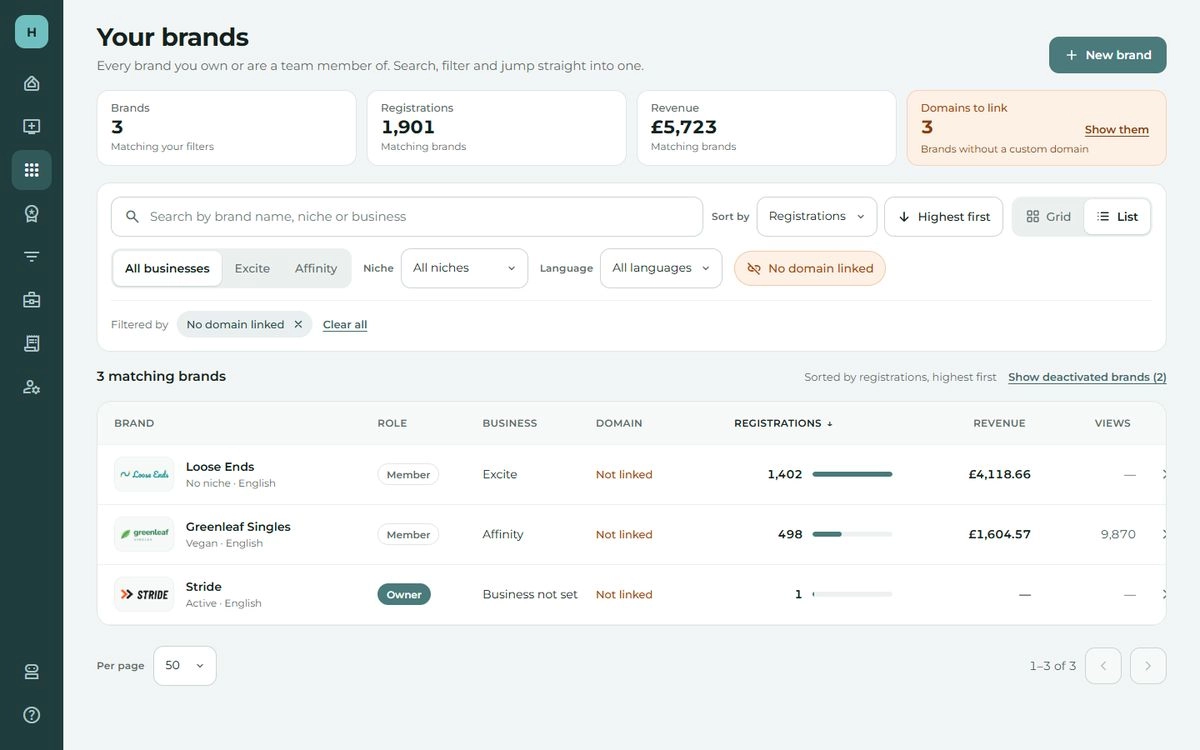
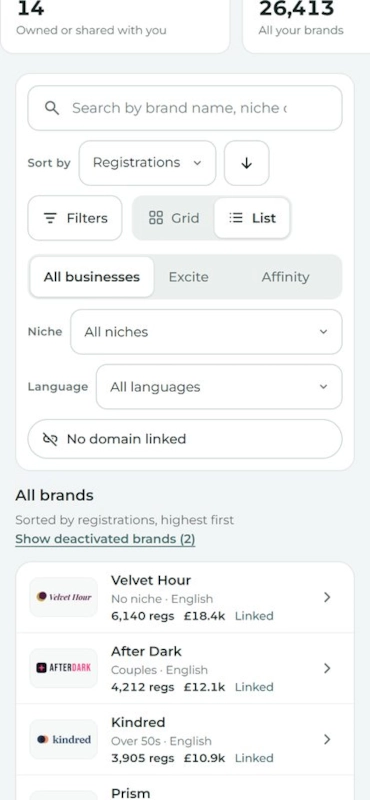
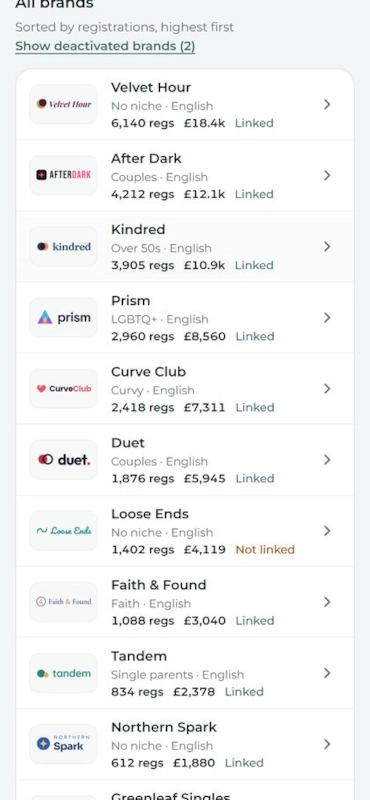
Your brands: the brands list.

  • ✓Clearer, and more mobile friendly
  • ✓Better filtering
  • ✓An area that bubbles up what needs your attention
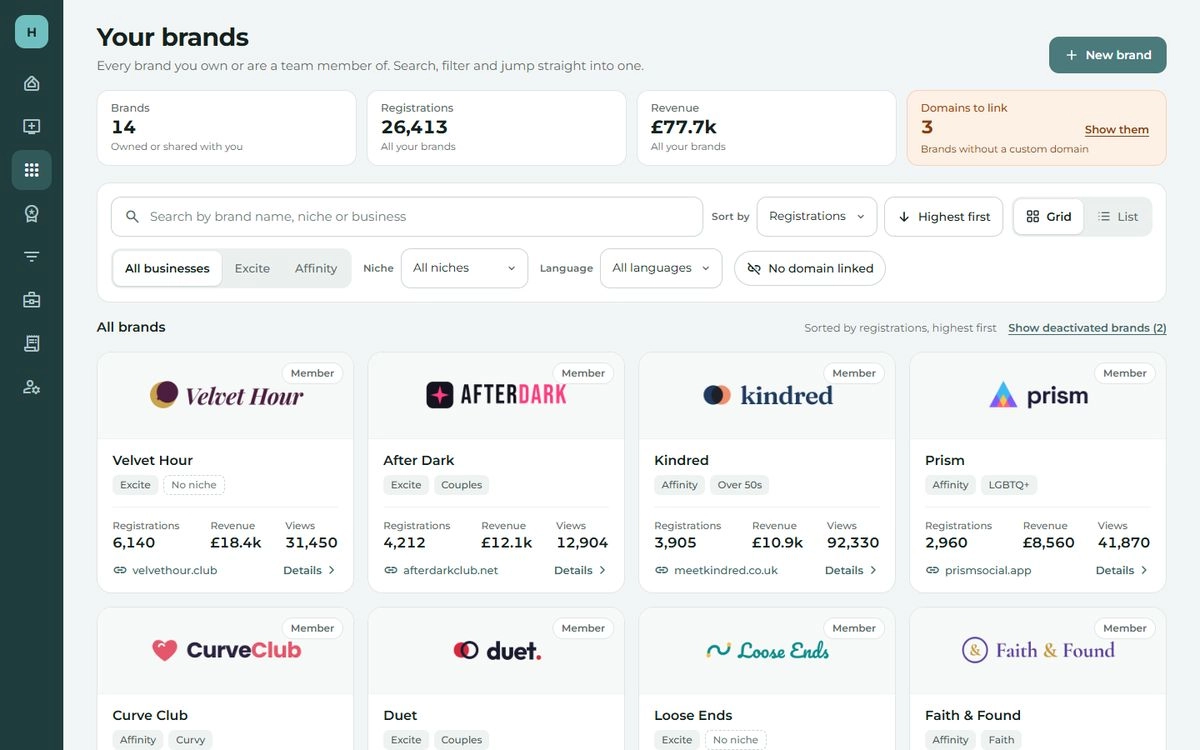
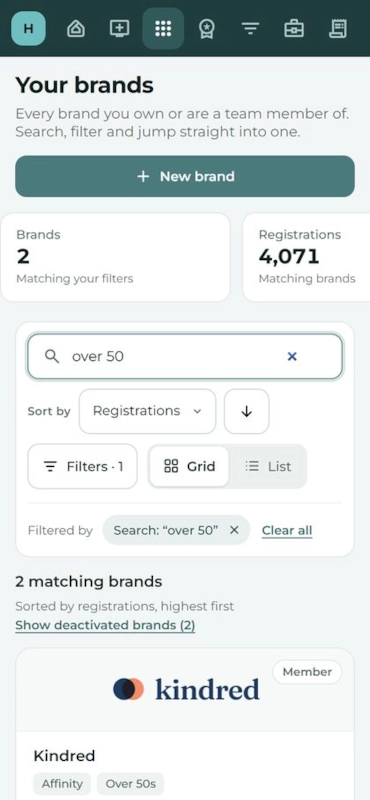
Your brands as cards, with totals across the top.Searching for over 50 narrows the brands to two.The brands filtered to one business.Your brands as a list, a row per brand.The brands that still need a domain linked.
On a laptop
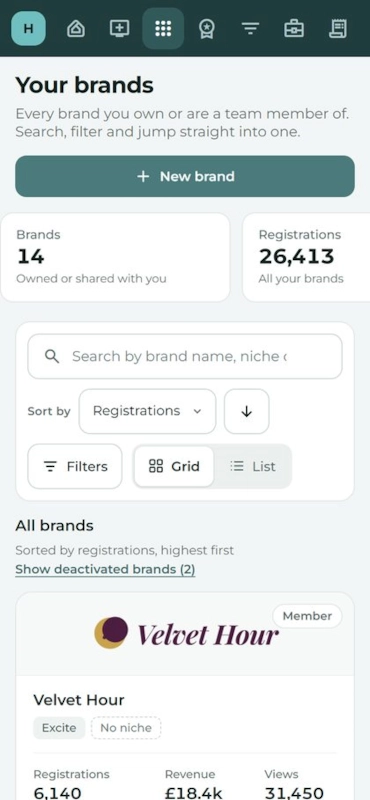
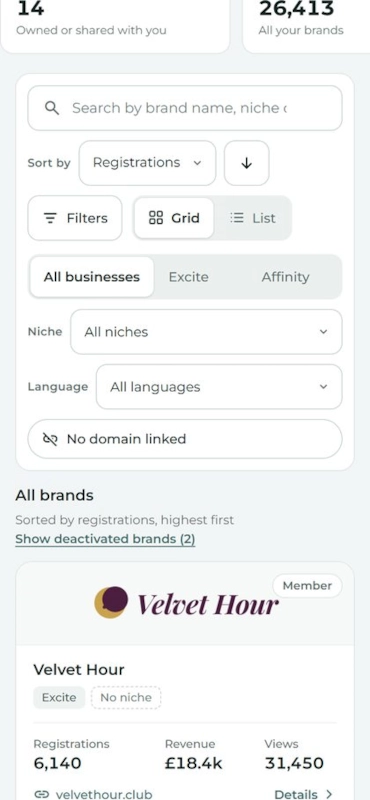
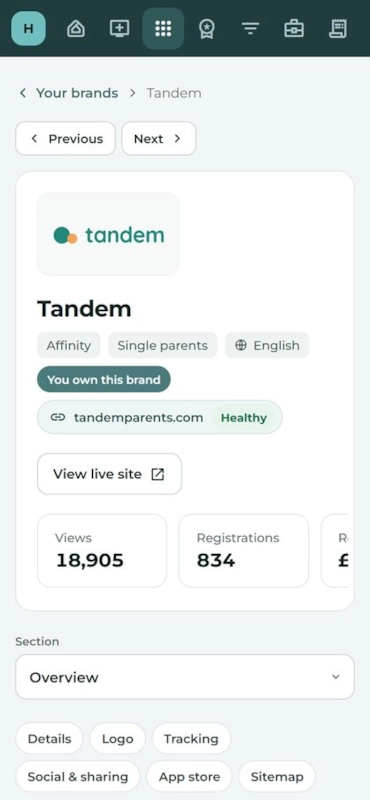
Your brands on a phone.Searching on a phone.The filters opened on a phone.The list view on a phone.Further down the list on a phone.
On a phone
Portal design and UX improvements

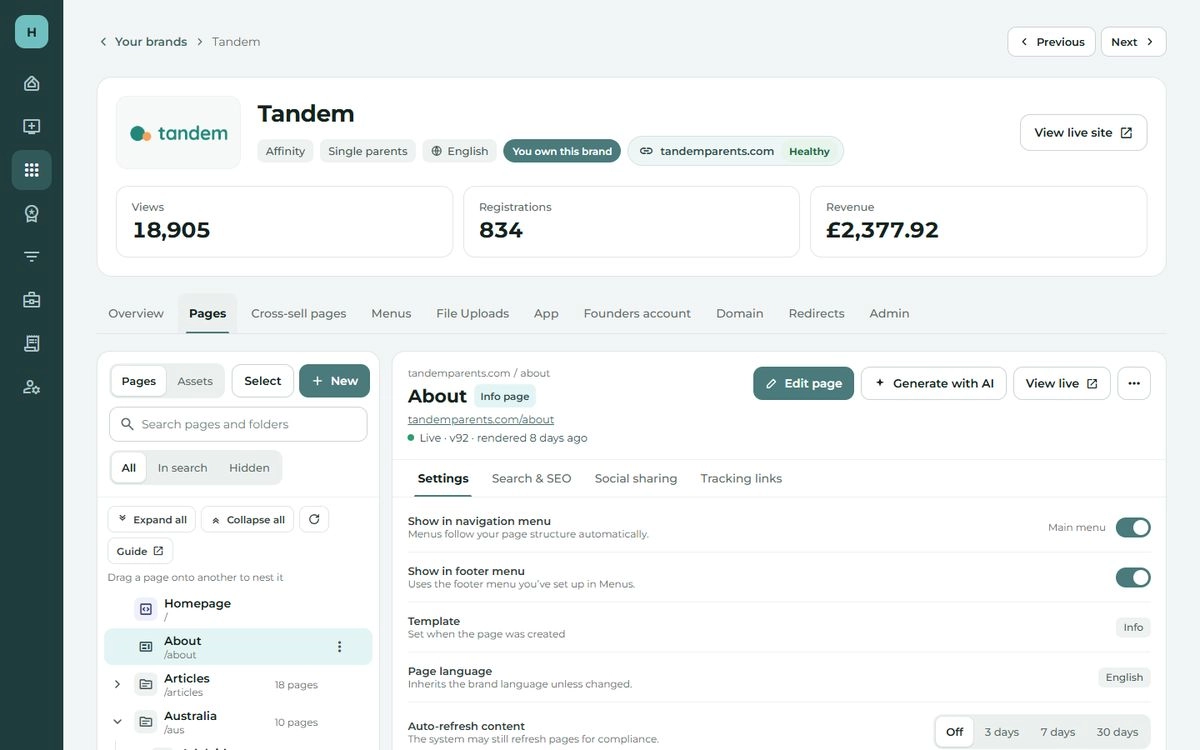
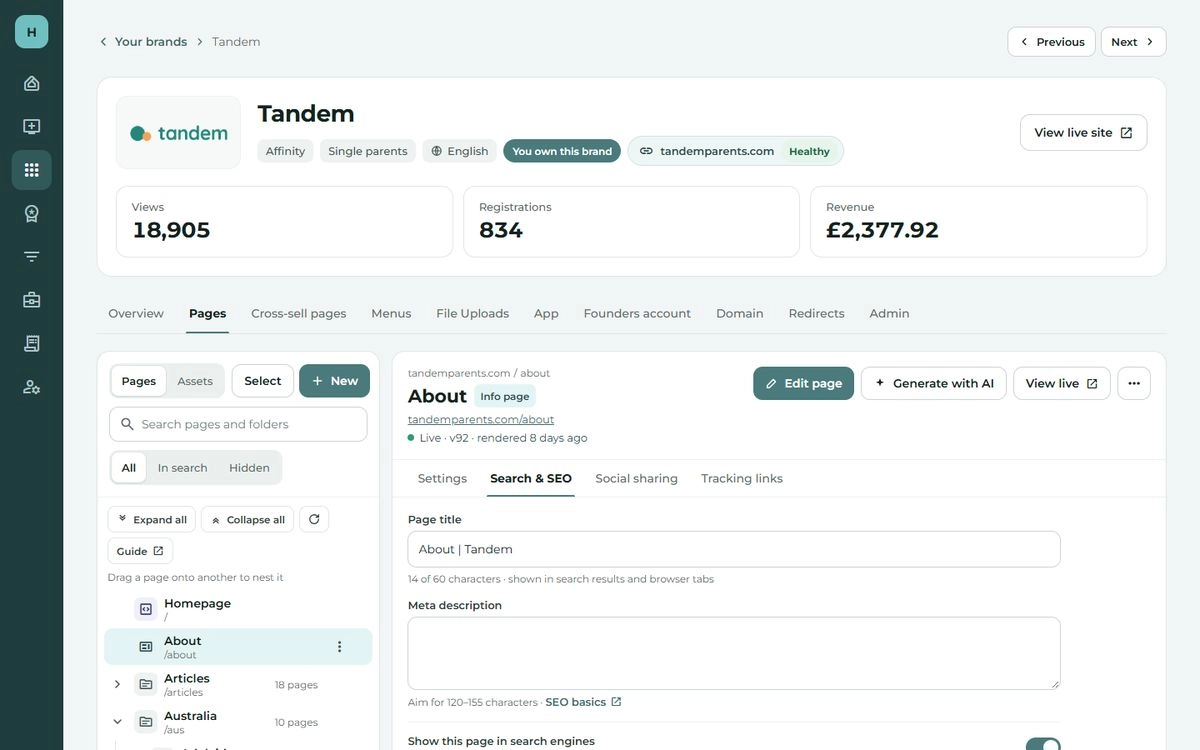
A single brand.

  • ✓Areas split into tabs, for easier navigation
  • Shown here: the brand, Pages and its areas (the most to improve), then each tab
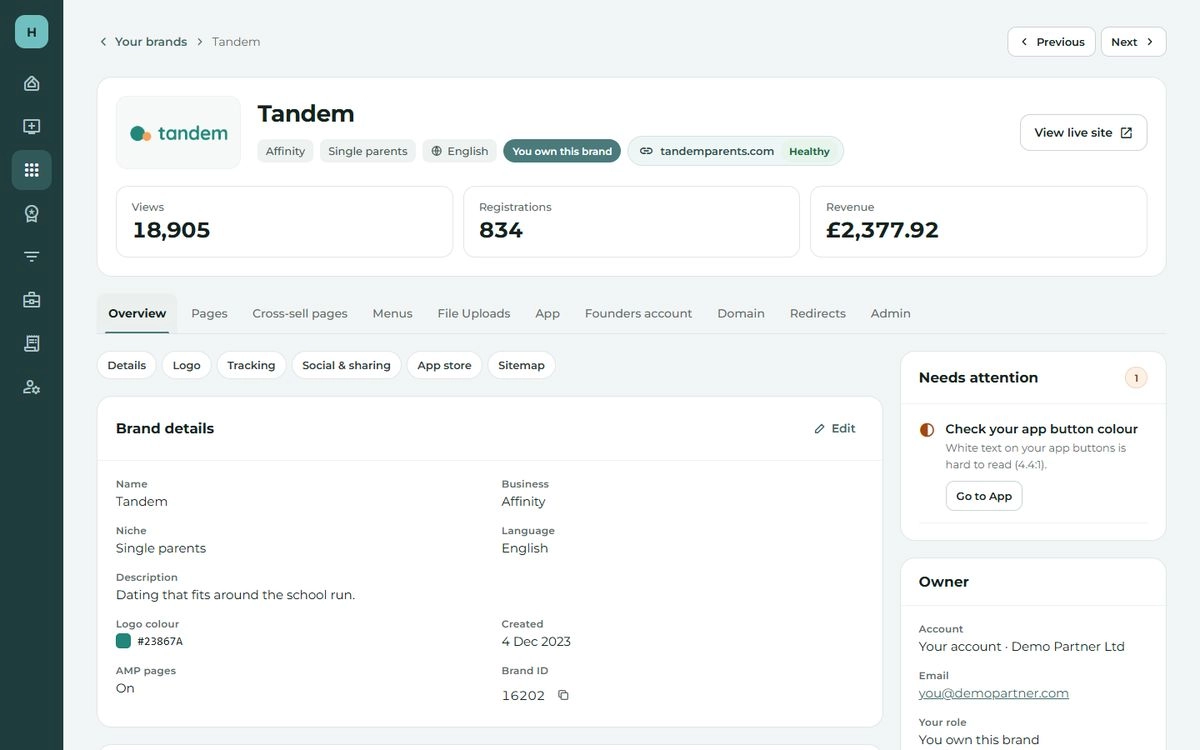
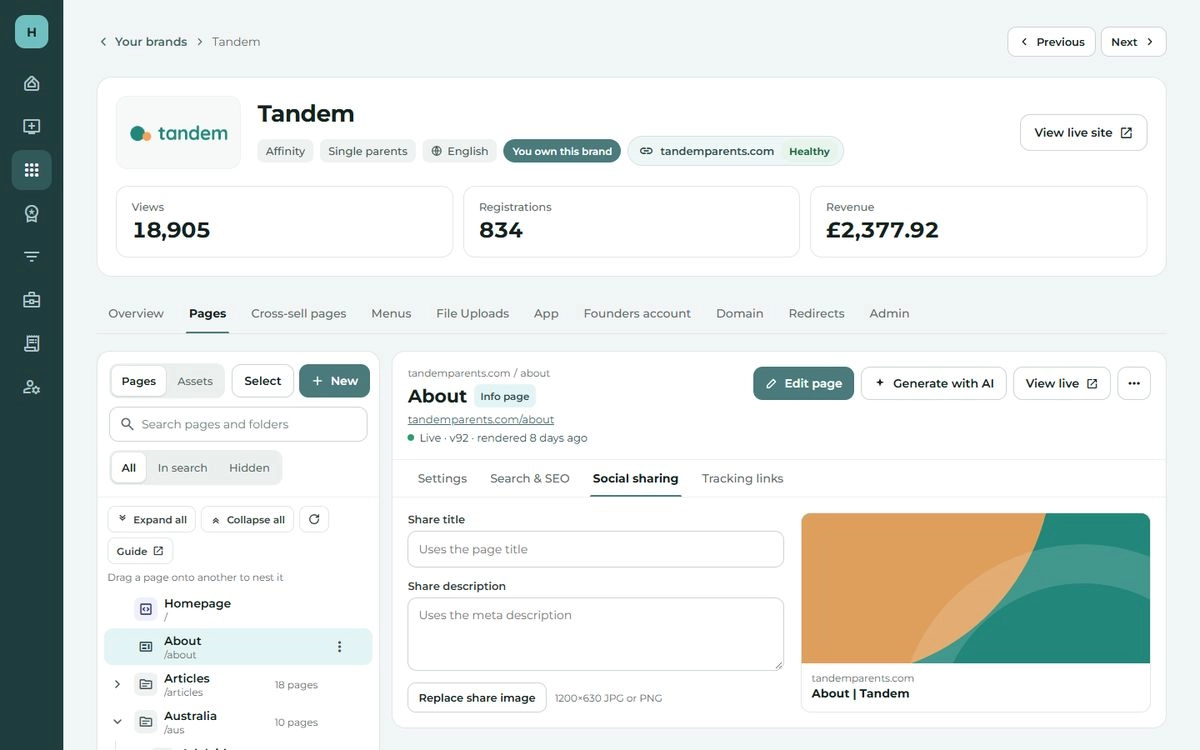
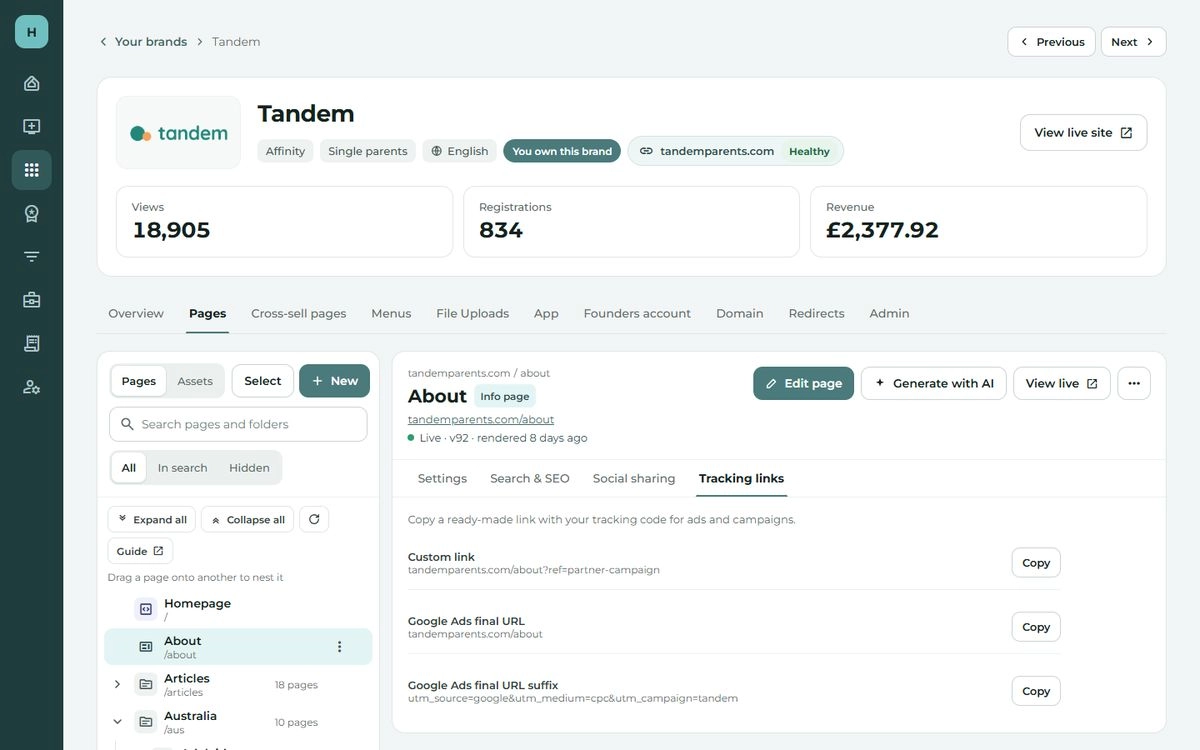
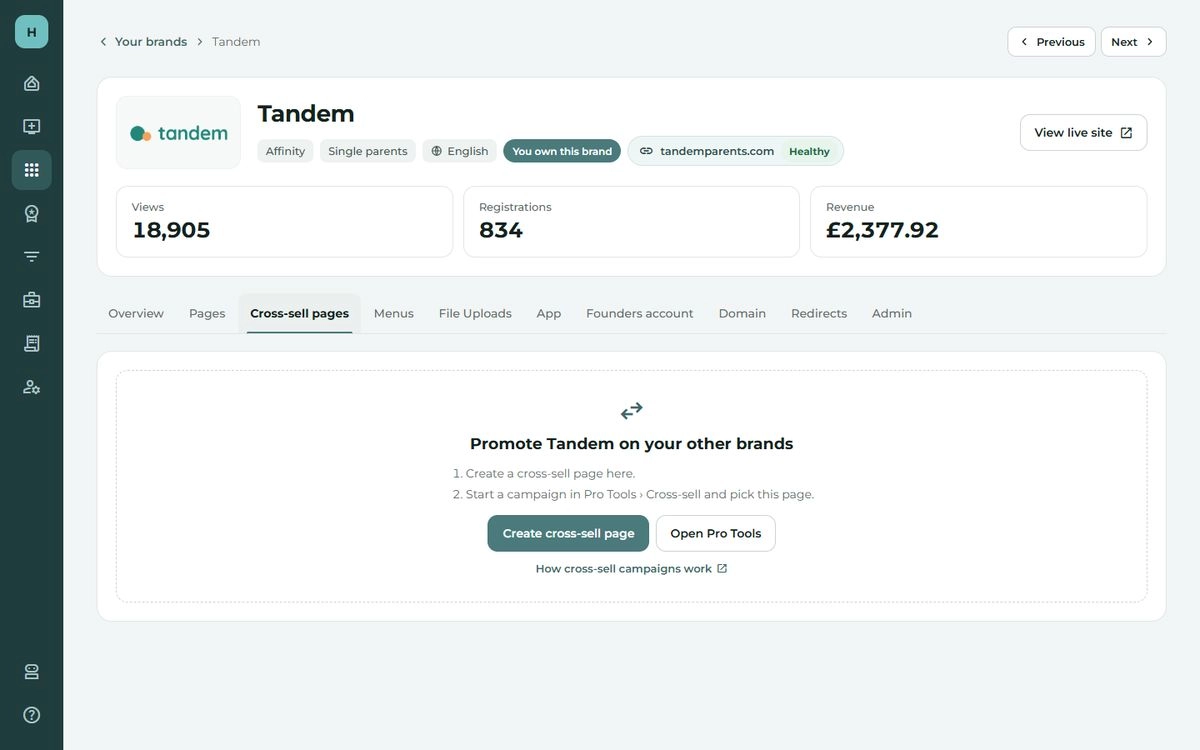
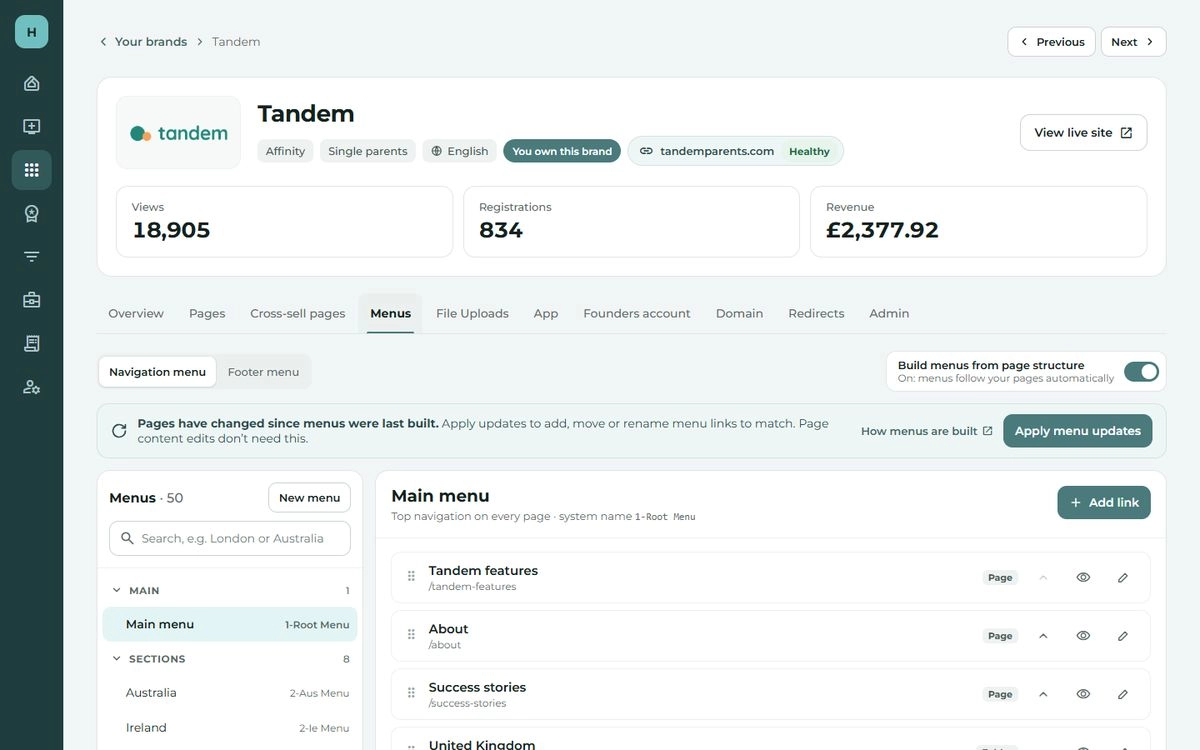
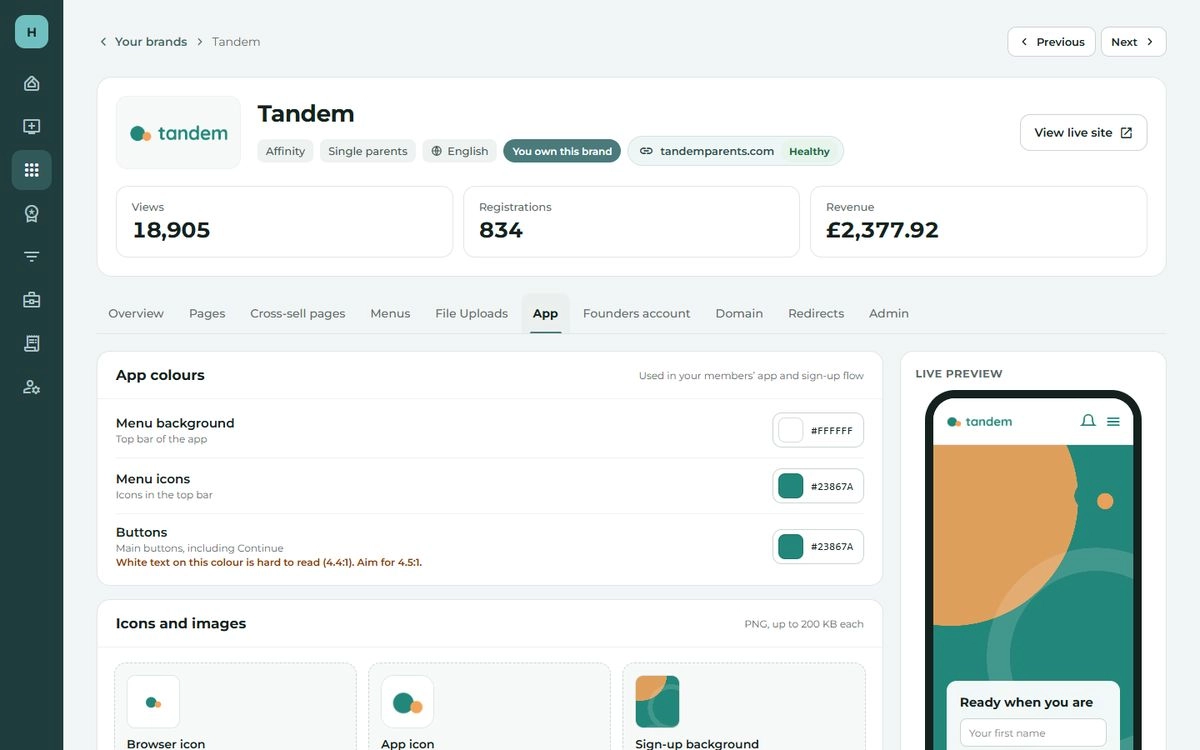
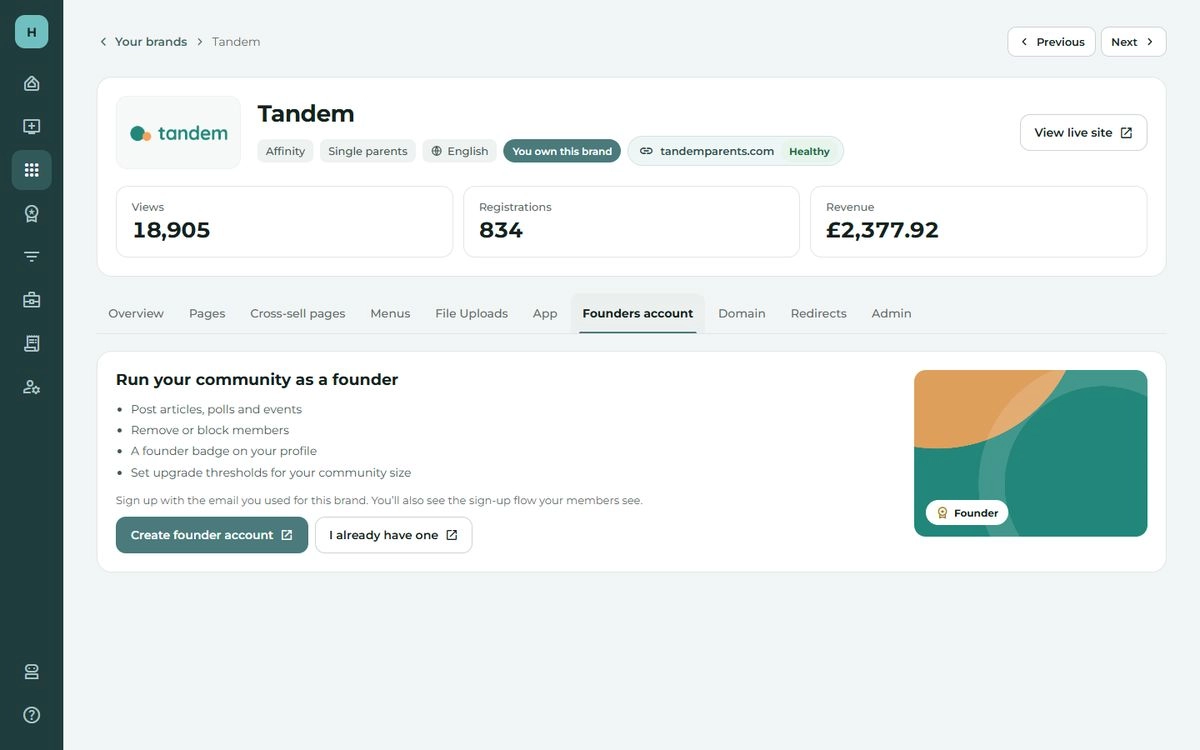
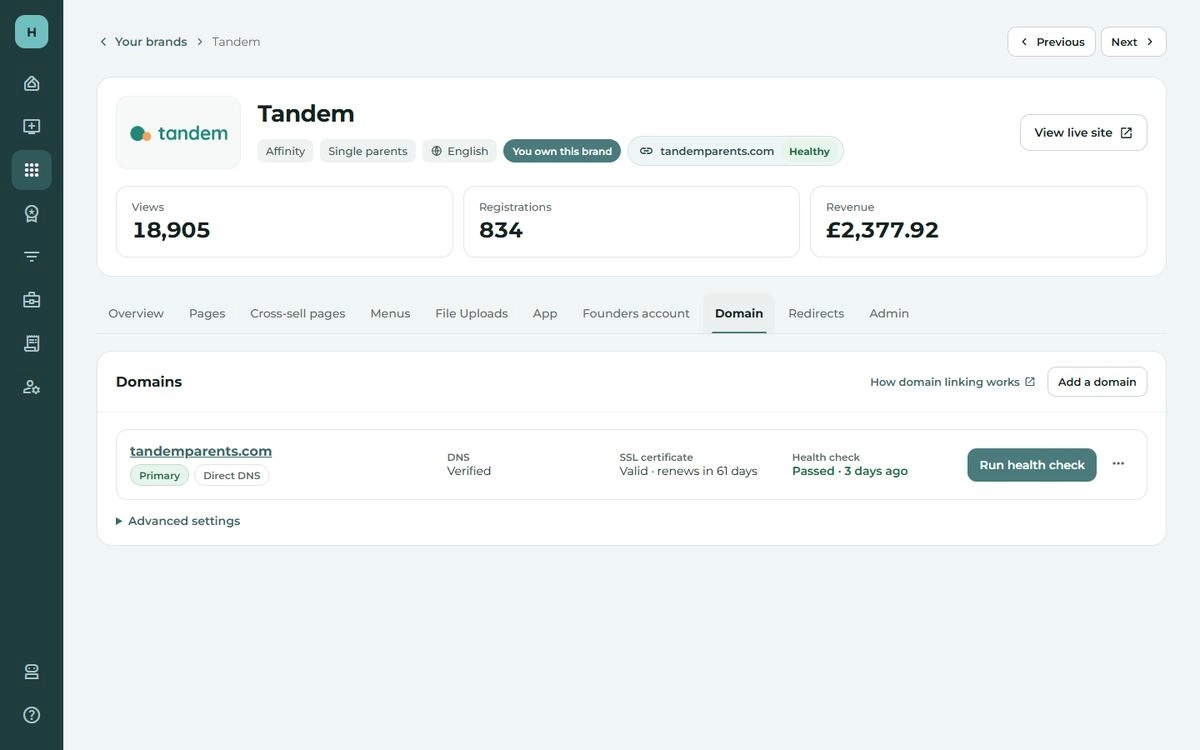
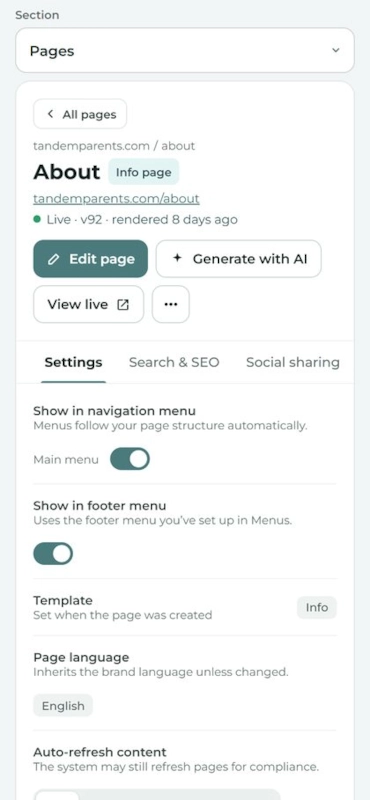
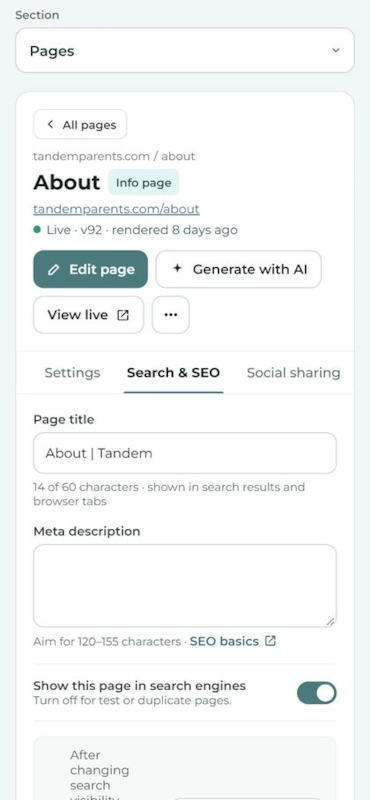
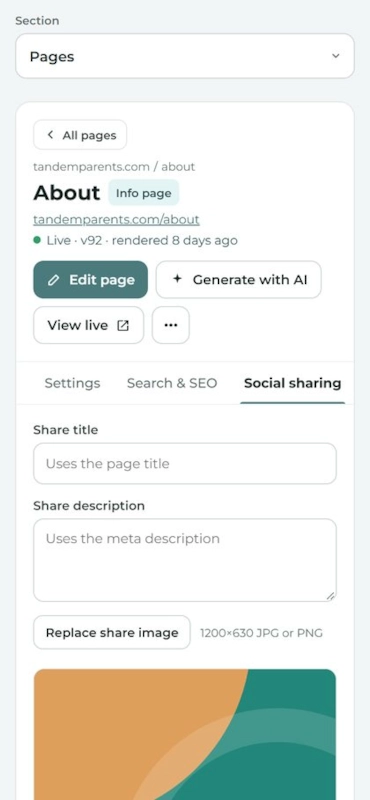
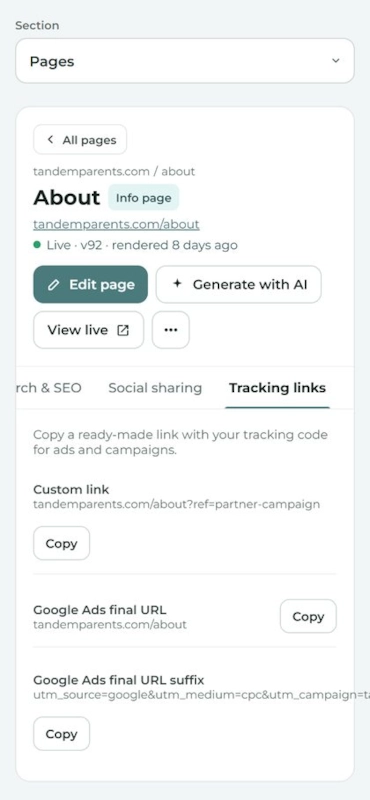
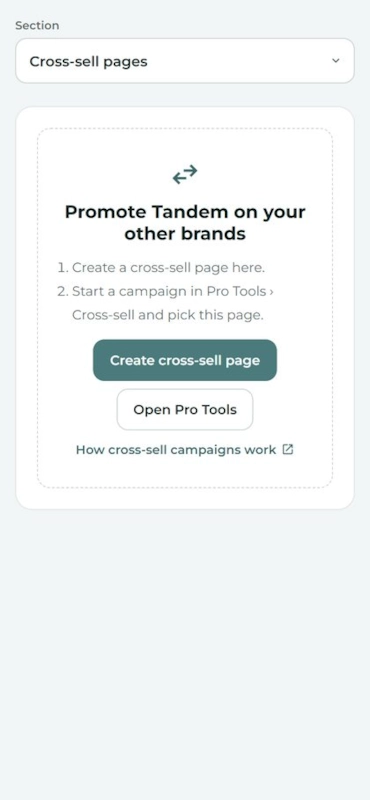
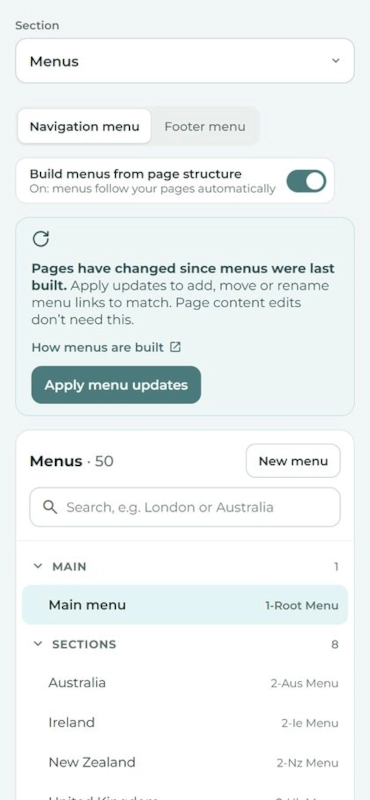
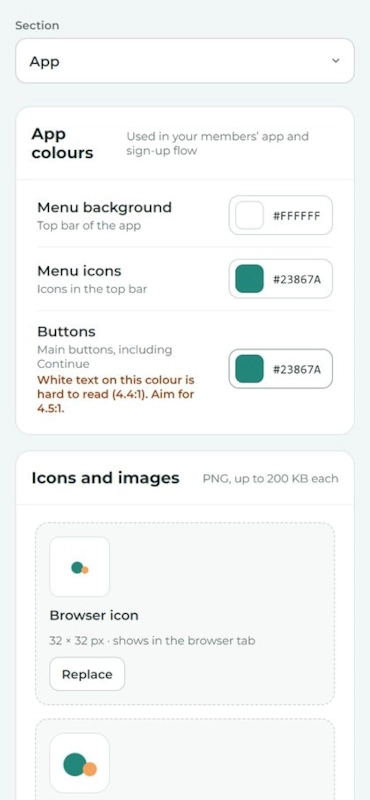
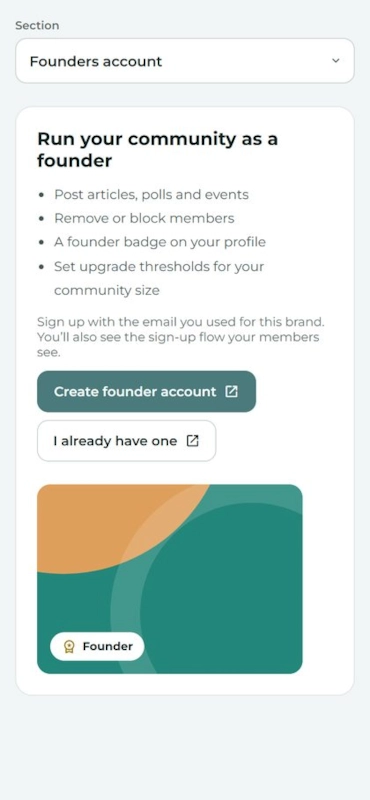
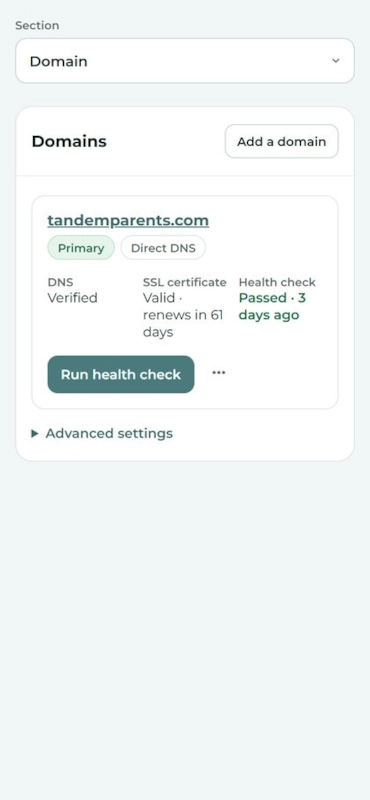
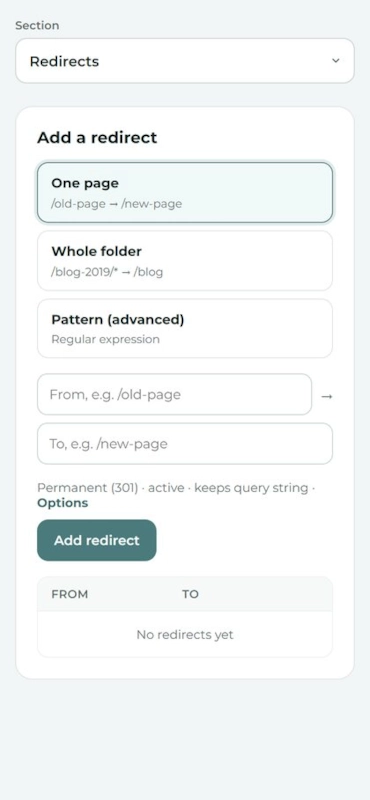
One brand: its numbers, its tabs, and what needs attention.The Pages tab, a page's settings.The Pages tab, a page's search and SEO.The Pages tab, a page's social sharing.The Pages tab, a page's tracking links.The Cross-sell pages tab.The Menus tab.The File Uploads tab.The App tab.The Founders account tab.The Domain tab.The Redirects tab.
On a laptop
The brand, on a phone.Pages: settings, on a phone.Pages: search and SEO, on a phone.Pages: social sharing, on a phone.Pages: tracking links, on a phone.Cross-sell pages, on a phone.Menus, on a phone.File Uploads, on a phone.App, on a phone.Founders account, on a phone.Domain, on a phone.Redirects, on a phone.
On a phone
Portal design and UX improvements

Tell us what you think.

Your pain points today

What slows you down or gets in your way in the portal now?

What could be better

Looking at these screens, what would you change, add or take away?

Your answers help shape what we build next.

03

Working with Grok Bot

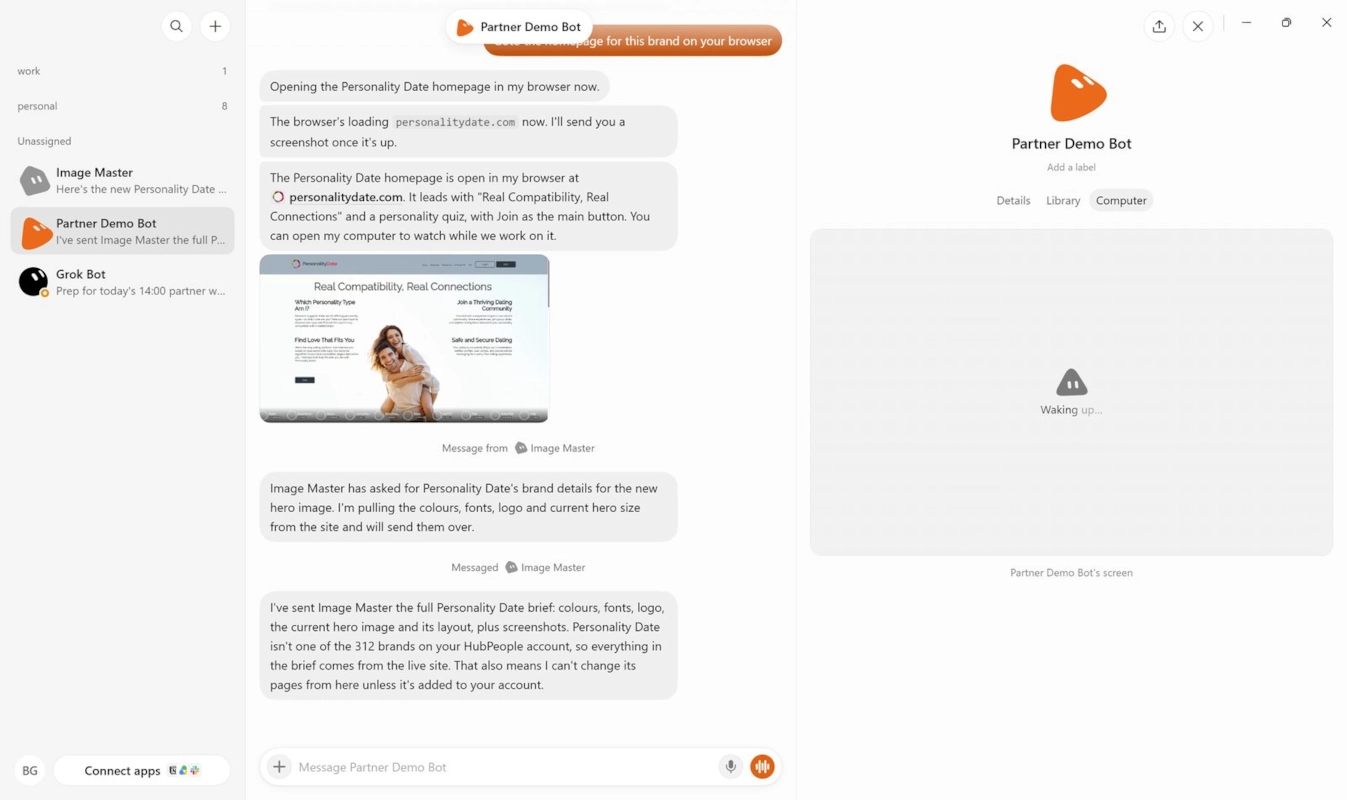
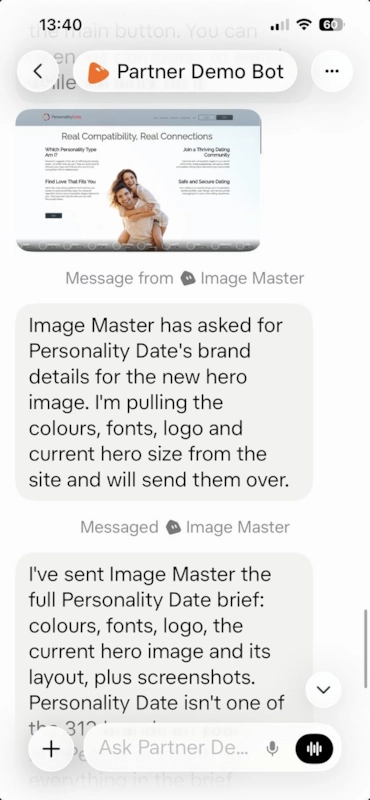
Grok Bot on a laptop: a list of bots on the left, a conversation with Partner Demo Bot in the middle, and the bot's own computer on the right. The same Partner Demo Bot conversation on a phone.
Working with Grok Bot

What is Grok Bot?

  • ✓Autonomous AI agents
  • ✓A persistent cloud computer
  • ✓Runs in the background, 24/7 Logs into normal websites and runs connectors, the HubPeople connector included.
GrokThe chat model. The chat ends when the conversation stops or you shut your computer.
Grok BotA remote, always-on agent (or a set of agents) that can do work when you are not there.
24/7
Working with Grok Bot

Getting started.

1Install Grok BotFrom x.ai, not grok.com. x.ai/bot
3Ask it to install the toolkitAs you would anywhere else. help.hubpeople.ai/mcp-toolkit#toolkit
4Add other connectorsLook through Connected apps, or use the Composio plugin. It has its own computer and browser too.
Working with Grok Bot

Good jobs for Grok Bot.

›Check every one of my brands tonight and leave me a list of what to fix.
Set it going as you log off. The list is waiting in the morning.
›Write a page for each town on this list, and show me each one before it goes live.
A long job you would otherwise sit and watch.
›Read Search Console for my brands and tell me which pages lost clicks this month.
Through Composio, running on its computer, not yours.
Next

What we are working on.

Aiming for next week

Metrics through the connector

  • Working with the product team on the queries, to match the campaign report.
Some of it next week

Founders data through the connector

  • Creating and managing polls.
  • More to follow.
In progress

Pricing pages

  • Improving the pricing pages AI builds.
  • Prices change and can be dynamic, so the idea is an indicative price list with strict wording.
  • Some pages already built will need fixing.
Partner Update Product Roadmap Martyn Padden, Head of Product Q4 2026
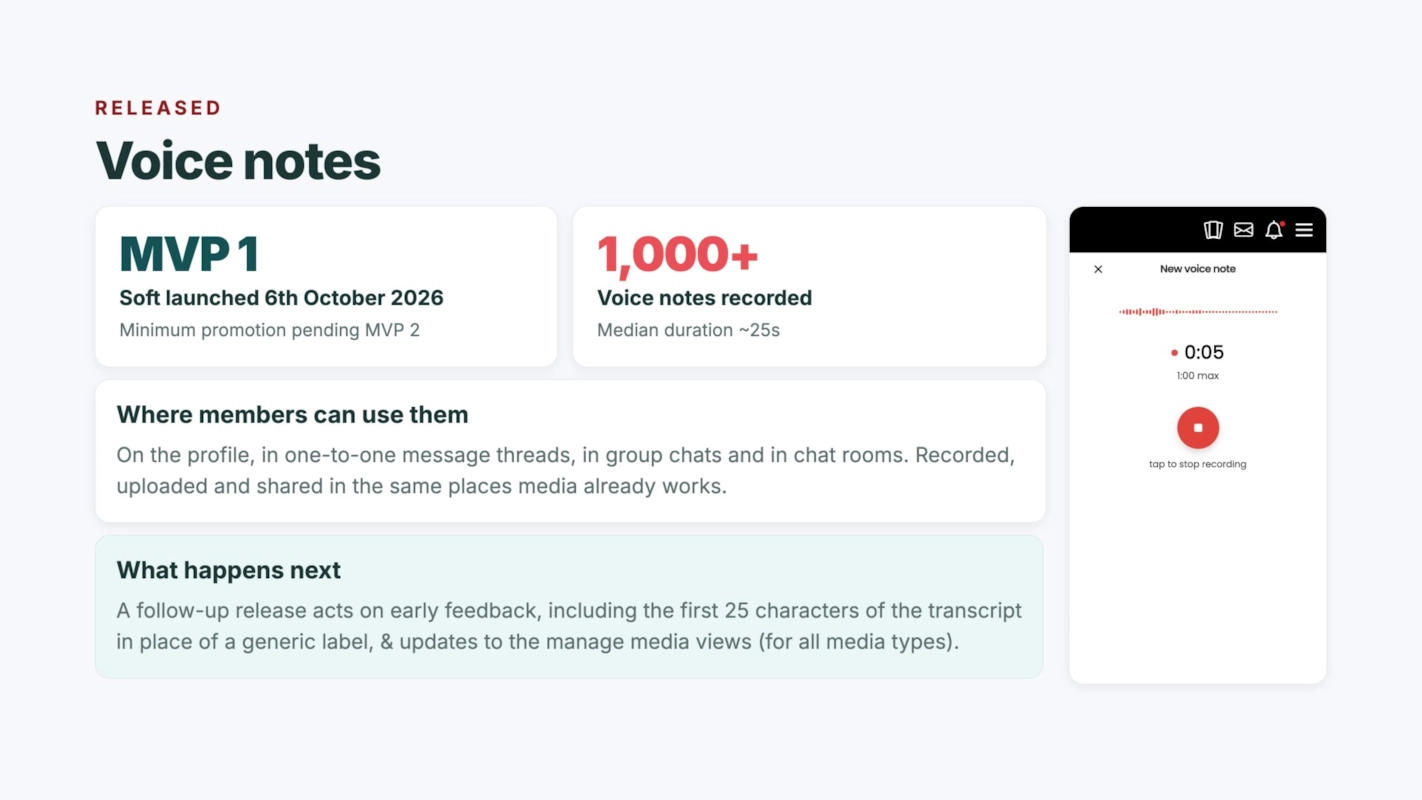
Released Voice notes MVP 1 Soft launched 6th October 2026 Minimum promotion pending MVP 2 1,000+ Voice notes recorded Median duration ~25s Where members can use them On the profile, in one-to-one message threads, in group chats and in chat rooms. Recorded, uploaded and shared in the same places media already works. What happens next A follow-up release acts on early feedback, including the first 25 characters of the transcript in place of a generic label, & updates to the manage media views (for all media types).
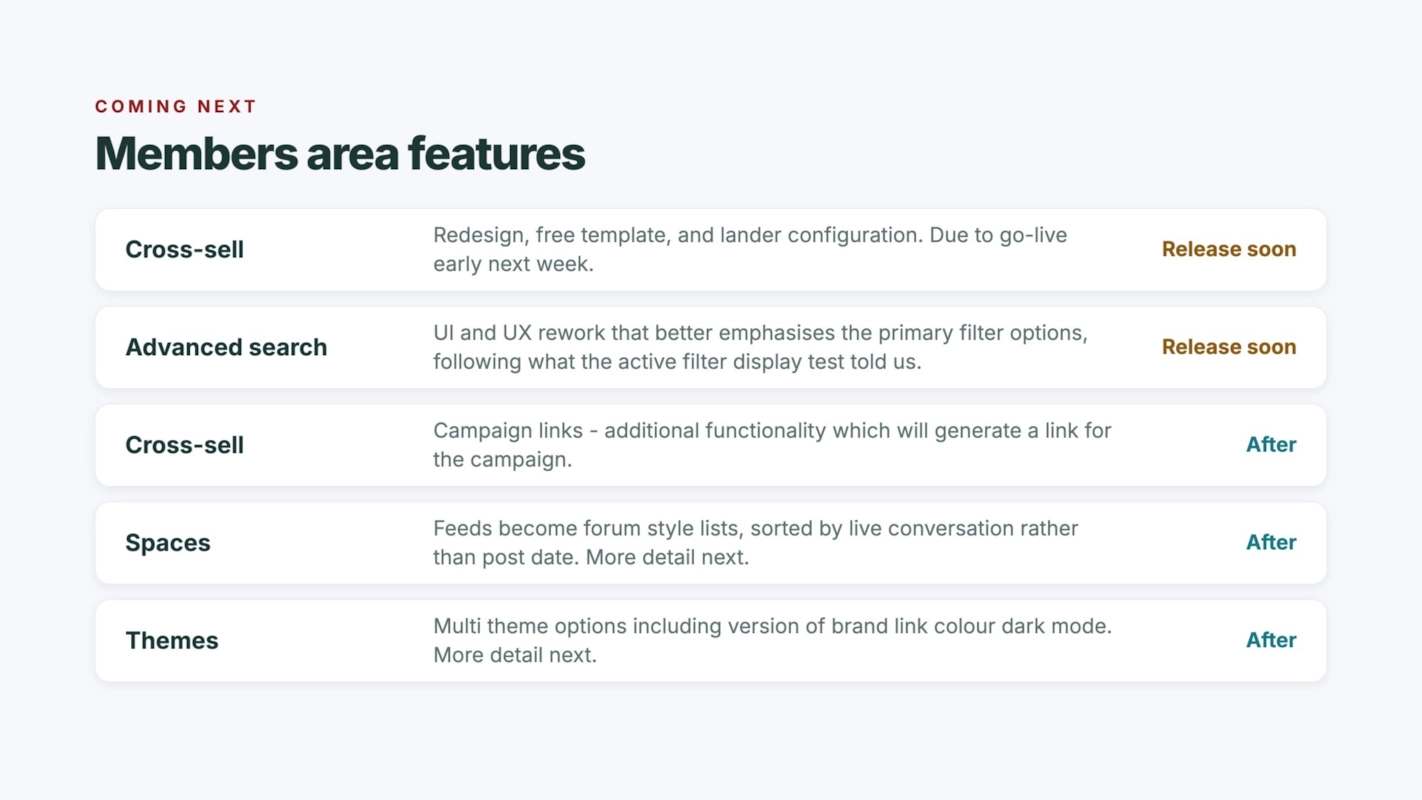
Coming next Members area features Cross-sell Redesign, free template, and lander configuration. Due to go-live early next week. Release soon Advanced search UI and UX rework that better emphasises the primary filter options, following what the active filter display test told us. Release soon Cross-sell Campaign links - additional functionality which will generate a link for the campaign. After Spaces Feeds become forum style lists, sorted by live conversation rather than post date. More detail next. After Themes Multi theme options including version of brand link colour dark mode. More detail next. After
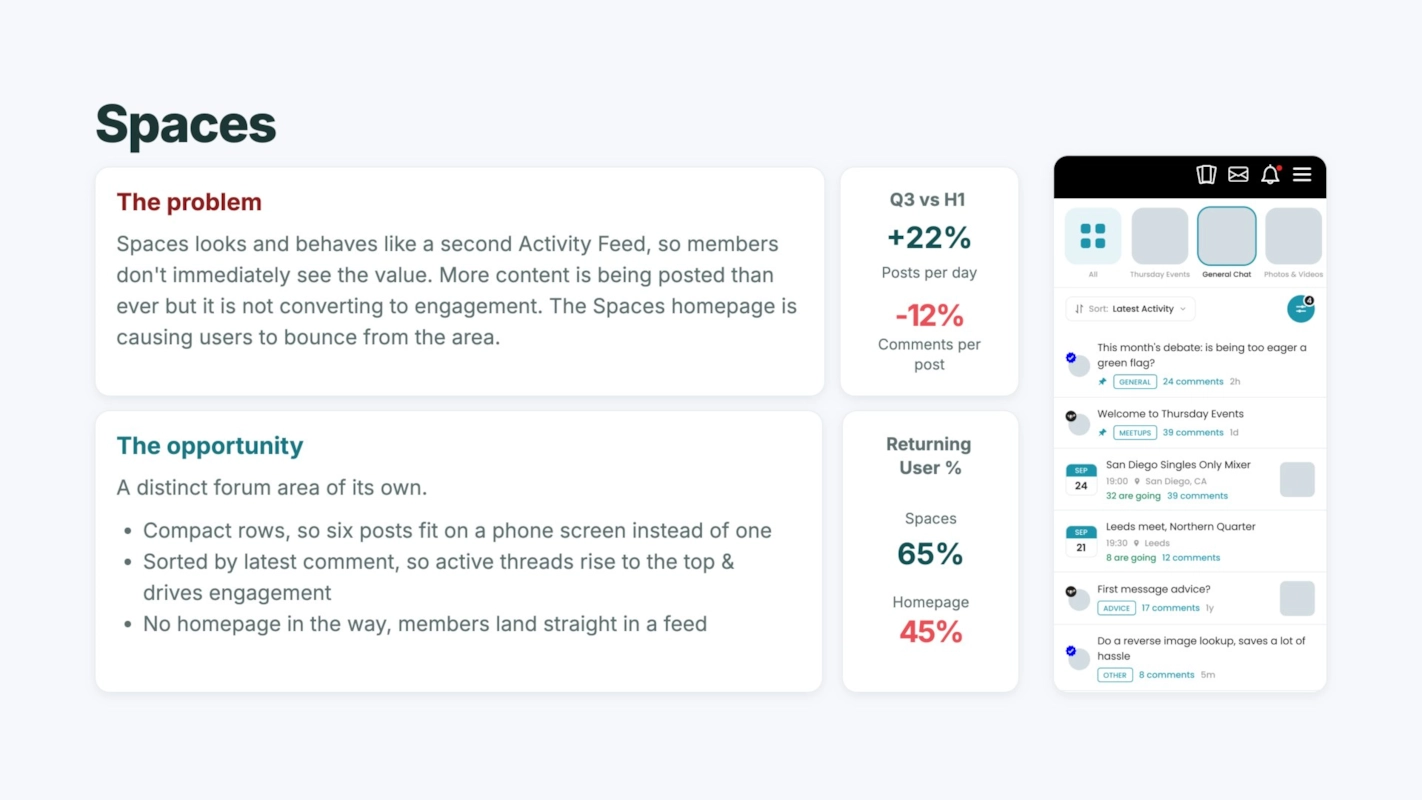
Spaces The problem Spaces looks and behaves like a second Activity Feed, so members don't immediately see the value. More content is being posted than ever but it is not converting to engagement. The Spaces homepage is causing users to bounce from the area. Q3 vs H1 +22% Posts per day -12% Comments per post The opportunity A distinct forum area of its own. Compact rows, so six posts fit on a phone screen instead of one Sorted by latest comment, so active threads rise to the top & drives engagement No homepage in the way, members land straight in a feed Returning User % Spaces 65% Homepage 45%
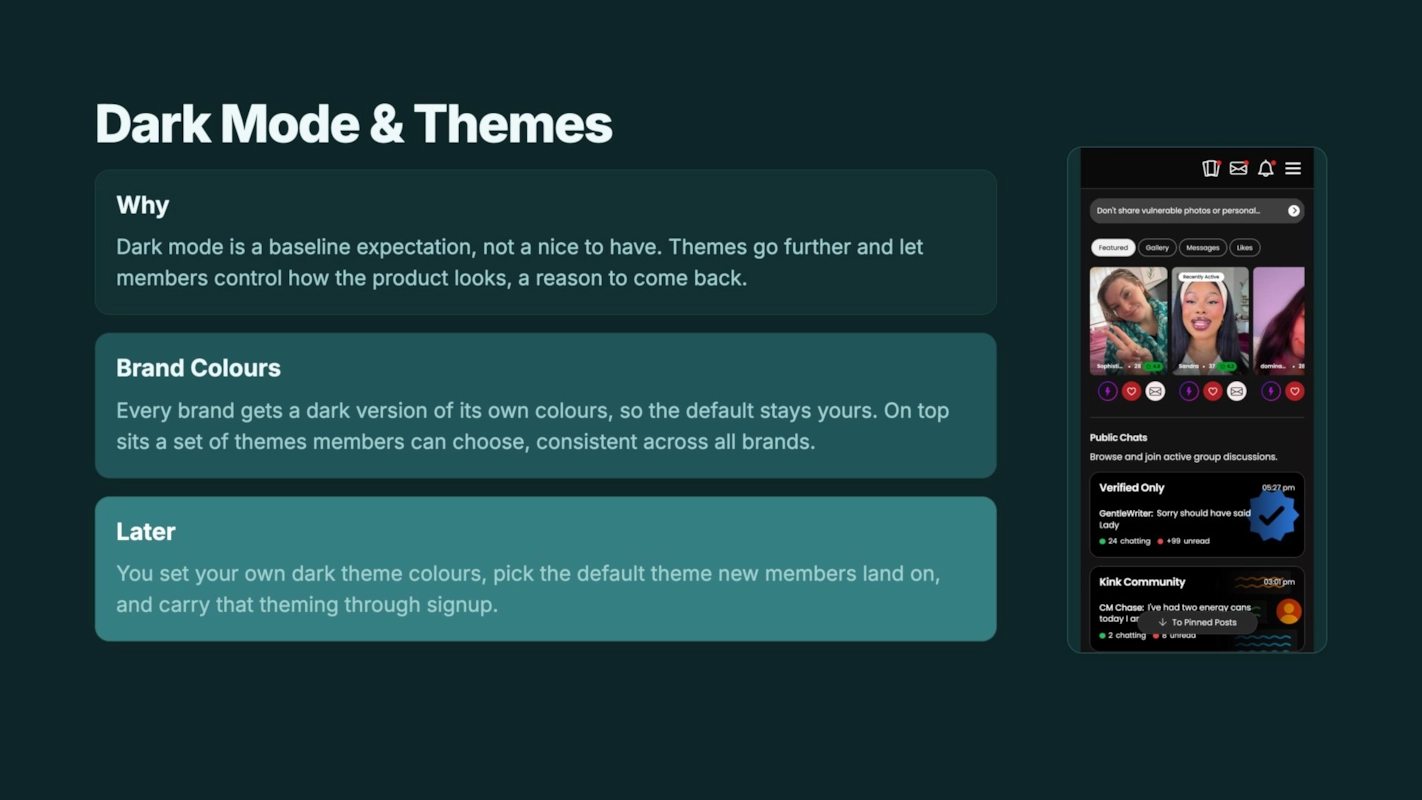
Dark Mode & Themes Why Dark mode is a baseline expectation, not a nice to have. Themes go further and let members control how the product looks, a reason to come back. Brand Colours Every brand gets a dark version of its own colours, so the default stays yours. On top sits a set of themes members can choose, consistent across all brands. Later You set your own dark theme colours, pick the default theme new members land on, and carry that theming through signup.
06

Geos and niches: what is growing

September vs August 2026, with Serge.

← Back to the workshop Partner workshop  ·  20 October 2026
01 / 24