
Ask about your figures
Published Updated
Your payout, sign-ups, sources and countries are all in the campaign report. With HubPeople connected to your assistant, you can ask about them in plain English: it reads the report and answers with the figures, says which revenue level it used, and suggests what to look at next.
Before you start
Add the HubPeople connector to your assistant and sign in with your HubPeople login. Connect your brands to AI shows how. Then ask in the same way you would ask a colleague who has the report open.
Watch it
Two minutes: five questions, from last week's totals to digging into one brand.
What it covers
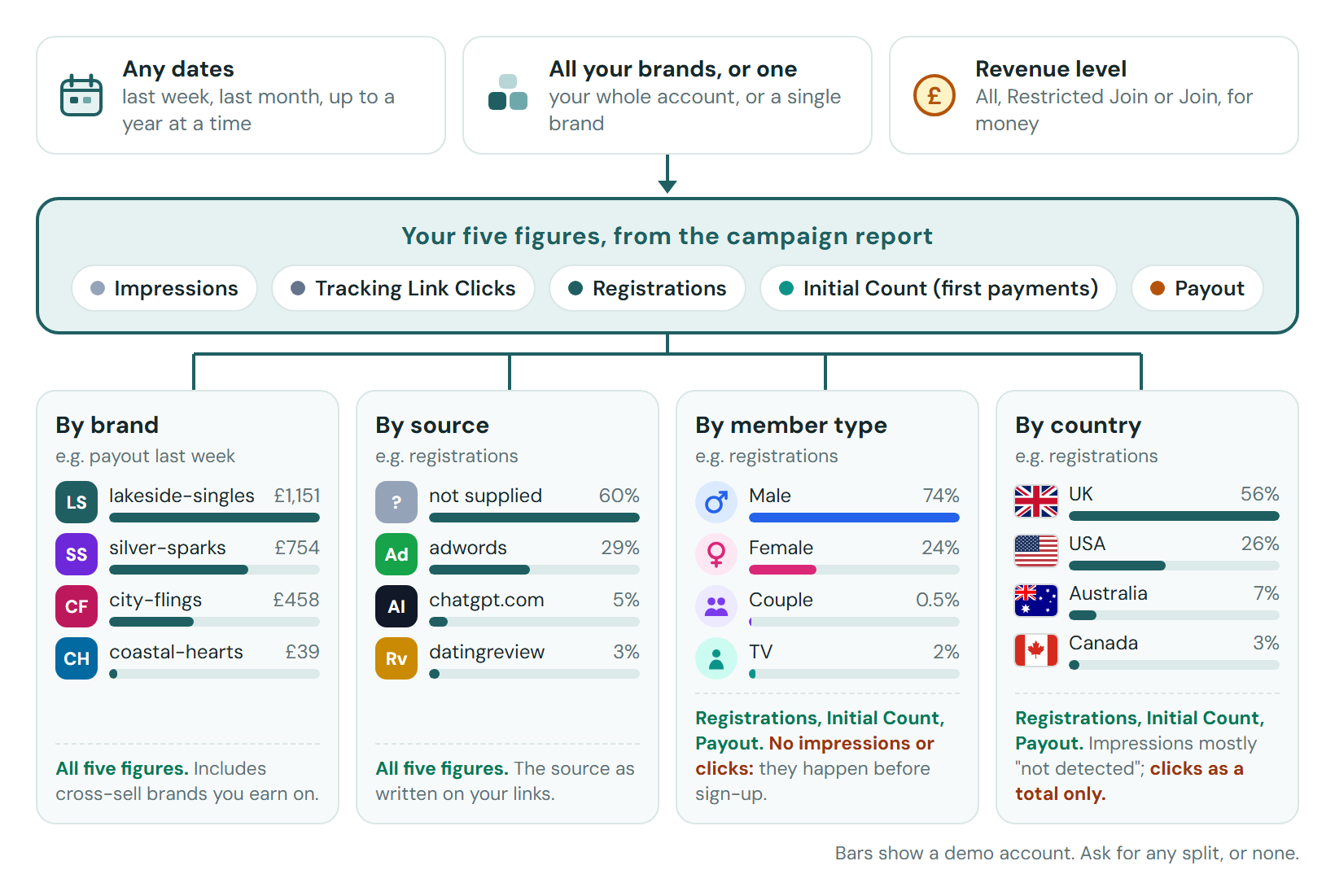
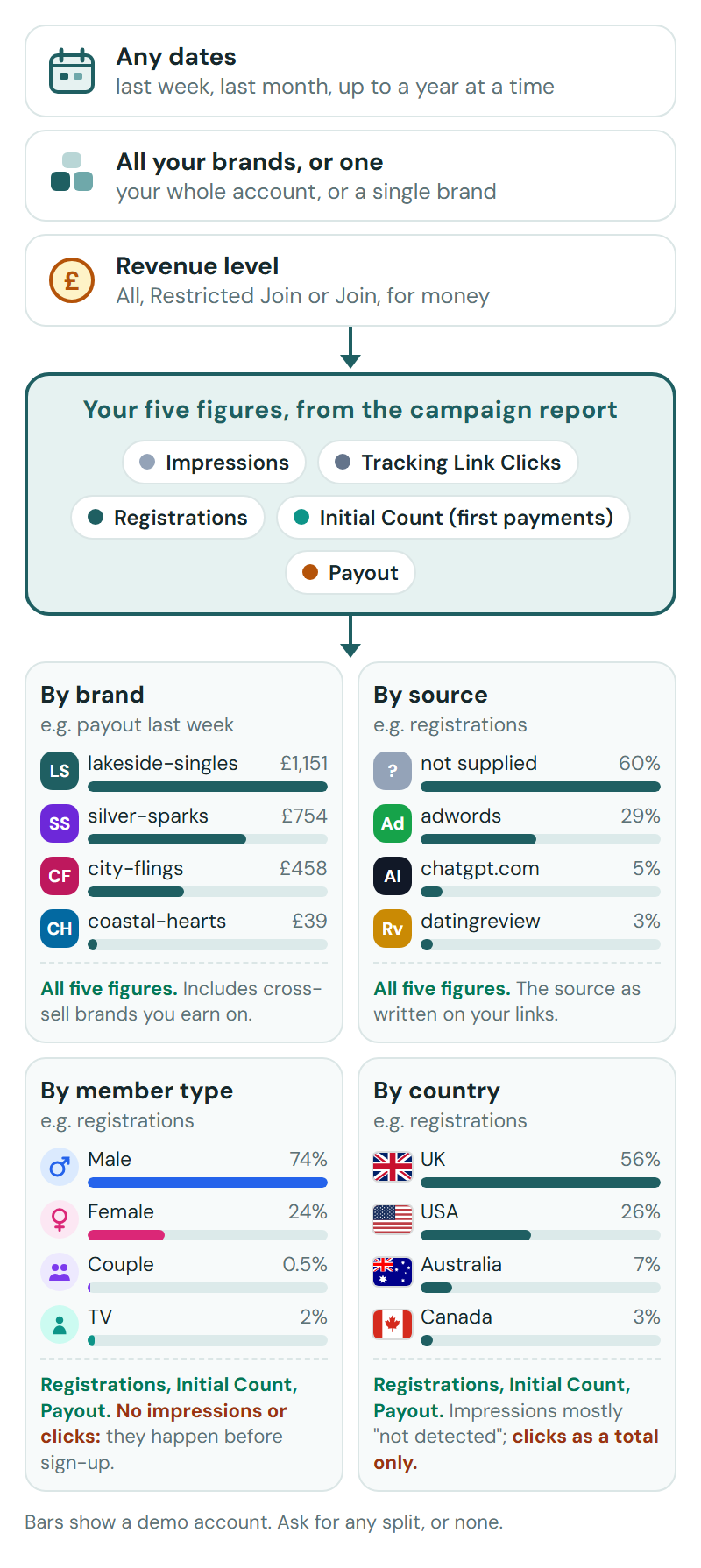
Every answer starts from three choices, then the campaign report's five figures, cut one of four ways.
Examples
Each example is a real answer to the question shown. They use a demo account, so every brand and figure is made up.
All, Join or Restricted Join? The examples name a revenue level with every money figure, and the same week can show three different payouts. Deep dive: Revenue levels explains what each one counts and which to use.
Worth knowing
- The figures are the campaign report's: Impressions, Tracking Link Clicks, Registrations, Initial Count (first payments) and Payout. Payout is your share, in your payout currency.
- It can split them by brand, by source (as written on your tracking links), by member type, and by country.
- Money depends on the revenue level, the report's Revenue level button. All is every payment in the dates. Restricted Join is only what members who joined in the dates paid in them, which is the one to use for what a new sign-up is worth. Join is what those members have paid up to now. Your assistant names the level with every money figure, and you can ask for another. Deep dive: Revenue levels explains all three with a picture.
- Tracking Link Clicks count only clicks on your own tracking links, so 0 beside real registrations is normal.
Ask follow-ups. "Why?", "Show me that by country", "Compare it with the month before" and "Make that a chart" all work on the figures you have just been given.
More things to ask
"Which countries sent me the most valuable sign-ups this month?"
"How have my sign-ups from chatgpt.com done over the last three months?"
"Make me a one-page summary of last month that I can share with my team."