
The indexing switch: keeping a page out of search engines
Published Updated
Every page on your brand has an "Allow search engines to index this page" switch, on by default. This guide explains exactly what happens when you turn it off, what it does not do, and when to use it.
Where the switch is
Open the page in the Pages tab and find its SEO settings. The Allow search engines to index this page toggle (1) is on by default; here it has been switched off:
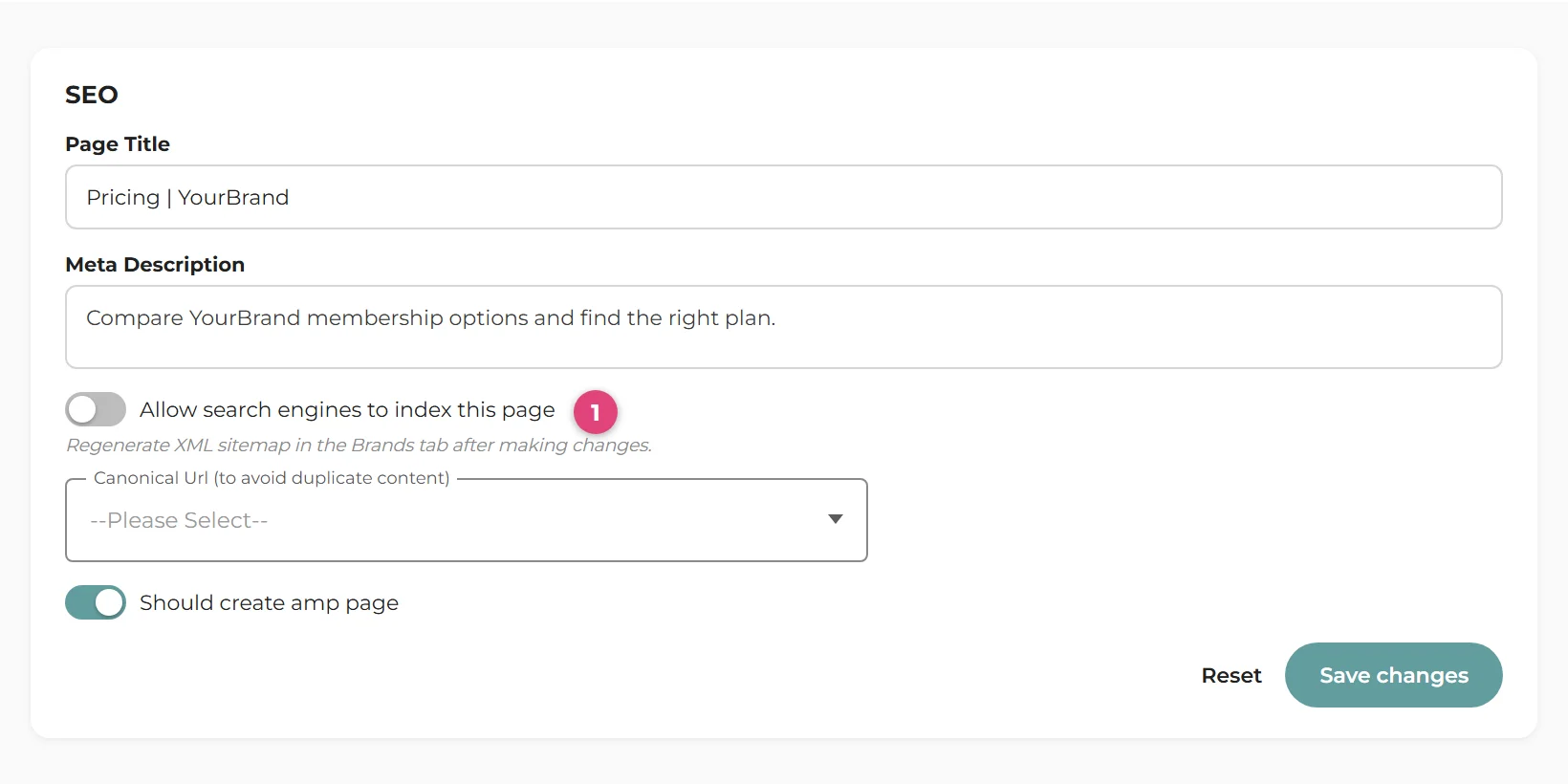
Changing it for many pages at once? The Bulk Page Editor has an Allow Indexing column on its SEO Metadata tab, so you can flip whole sections of your site in one save.
Ignore the sitemap hint. The form shows a note about regenerating the XML sitemap after changes. That is no longer necessary: your sitemap refreshes itself shortly after any page change.
What turning it off actually does
Three things happen, all automatic:
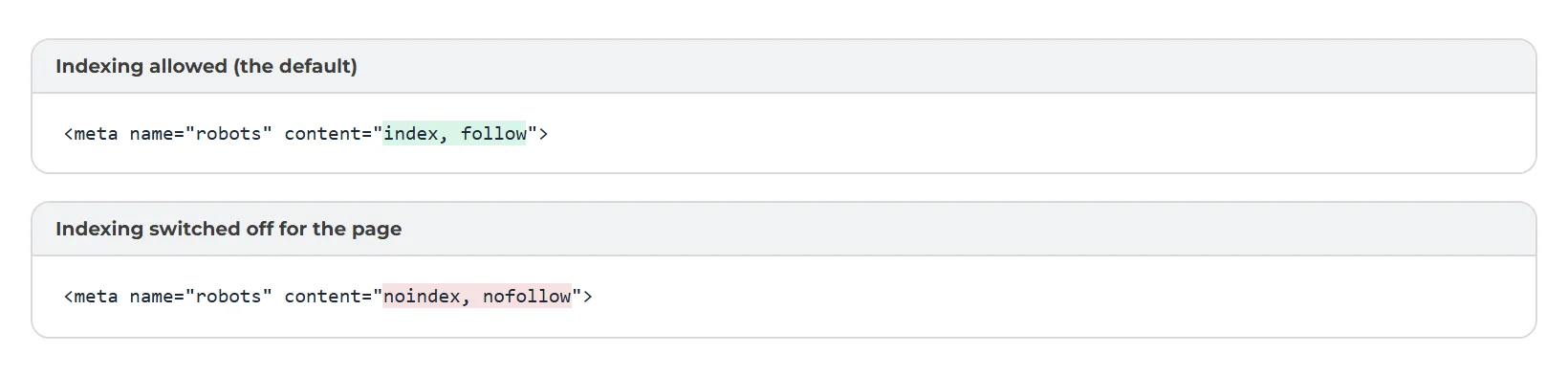
- The page tells search engines to stay away. Its robots instruction changes from
index, followtonoindex, nofollow: do not show this page in results, and do not follow its links. - It leaves your XML sitemap. The sitemap only lists pages that allow indexing, so the page stops being advertised to crawlers. See the Sitemaps guide.
- Its AMP version is covered too. If the page has an AMP twin, that carries the same noindex instruction, so both versions drop out together.
What it does not do
This is not privacy or protection. The page stays fully live: anyone with the address can still open it, link to it, and share it. The switch only asks search engines not to list it. If a page should not be reachable at all, delete it (and use a redirect rule to send its old address somewhere sensible).
- It does not password-protect or hide the page.
- It does not remove the page from search results instantly. Search engines drop it when they next crawl, which can take days to a few weeks. For an urgent removal, use the removal tool in Google Search Console alongside the switch.
- It does not block crawlers from fetching the page. That is deliberate: a crawler has to fetch the page to see the noindex instruction.
When to use it
- Paid-traffic landing pages you run for campaigns and do not want competing in search.
- Near-duplicate pages, though if one page is a variant of another, setting its canonical to the main page (in the same SEO settings) is often the better tool, keeping the search value on the main page.
- Pre-launch or work-in-progress content you want viewable via a direct link but not discovered.
- Retired pages you keep for existing visitors but no longer want promoted.
Whole site pre-launch? If your brand is not ready for search engines at all (for example, mid-migration while your domain still points at an old site), indexing can be switched off across every page with the Bulk Page Editor, then back on at launch. Remember to flip it back: a live site left on noindex quietly disappears from search.